 PixQR
PixQR
Overview
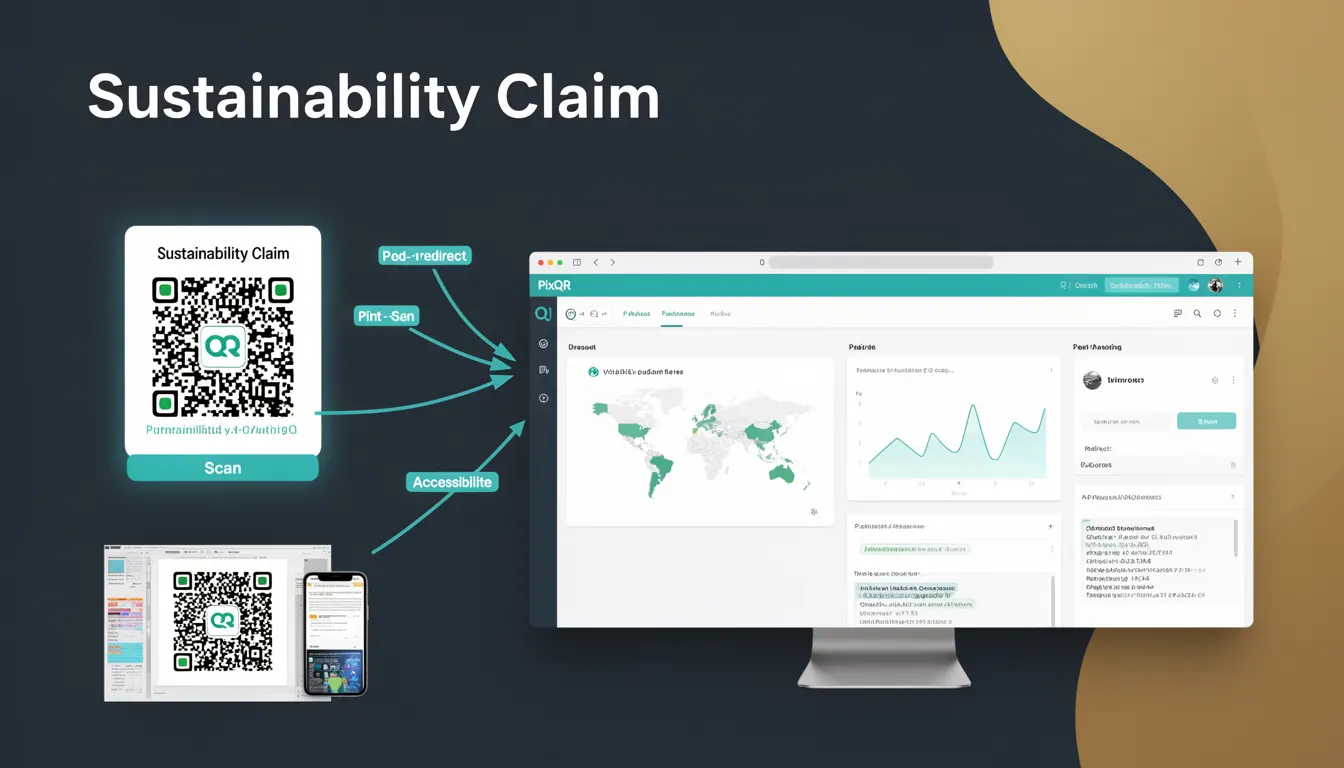
A Sustainability Claim within the context of PixQR refers to a structured digital element embedded in QR codes used on physical product packaging. This claim links the physical product to an online source of information that details environmental impact, recyclability, carbon footprint, or other sustainability metrics. It allows consumers to verify the environmental responsibility of a product by scanning a QR code and accessing a dedicated page or resource.
For developers working with PixQR, a Sustainability Claim is not just a static label but a dynamic element that enables real-time access to environmental data. This mechanism supports the growing consumer demand for transparency and accountability in product sustainability, and it aligns with regulatory trends requiring eco-labeling on packaging. The integration involves setting up a QR code that points to a structured data source, which can be a webpage, API endpoint, or a downloadable resource.
Why It Matters
From a developer perspective, implementing a Sustainability Claim requires careful attention to data consistency, security, and accessibility. The QR code must reliably redirect to a source that provides accurate and up-to-date information, which can be a complex task when managing multiple product lines or regions with varying sustainability standards.
For product teams and site operators, a Sustainability Claim adds value by enabling compliance with environmental regulations and enhancing brand trust. It also supports analytics by tracking how often users engage with sustainability-related content, which can be crucial for marketing and product development strategies. From a performance standpoint, ensuring the linked content loads quickly and securely is essential to avoid negative user experiences and potential scan abandonment.
How It Works
The implementation of a Sustainability Claim in PixQR involves several interconnected steps and components. A QR code is generated with a specific URL that points to a sustainability page or API endpoint. This URL is often dynamic and can be updated without changing the physical label, which is a key benefit for maintaining accurate information over time.
- The QR code is created using PixQR’s API or dashboard, with parameters for redirect URL, expiration, and tracking.
- The linked URL typically points to a web page or API endpoint that returns structured data in formats like JSON-LD or HTML.
- Scan reliability is maintained by ensuring the QR code has a high error correction level (typically M or H) to allow for wear or damage.
- Privacy considerations are addressed by not collecting personal data unless explicitly required, and by using secure protocols (HTTPS).
- Analytics integration allows developers to monitor how often the QR code is scanned and how users interact with the sustainability content.
Quick Reference
| Item | Purpose | Notes |
|---|---|---|
| QR Code URL | Points to sustainability data | Must be HTTPS and stable |
| Redirect Type | Defines how the QR code behaves | Can be direct or dynamic |
| Scan Tracking | Monitors QR code usage | Optional but recommended |
| Error Correction | Ensures scannability | Use level M or H for packaging |
| Content Format | Defines data structure | Supports JSON-LD or HTML |
Basic Example
PixQR Example QR
This QR links directly to this glossary page, so printed notes, onboarding docs, and support material can bring scanners back to the current reference.
/glossary/qr-code-for-packaging/qr-codes-for-packaging-sustainability-claim
This example demonstrates how a basic QR code might be configured to point to a sustainability page. The code uses a simplified API call structure that would be part of a larger PixQR implementation.
const qrConfig = {
  url: "https://example.com/sustainability/12345",
  errorCorrection: "H",
  redirectType: "direct",
  tracking: true
};

const qrCode = pixqr.generate(qrConfig);
The key elements are the URL, which points to a product's sustainability page, and the error correction level set to H to ensure reliability on packaging. The redirect type is direct, meaning the QR code immediately leads to the URL.
Production Example
In a production environment, a Sustainability Claim requires robust error handling, validation, and secure data delivery. This example shows how a developer might structure a QR code configuration that supports multiple languages and includes fallback mechanisms.
const productionConfig = {
  url: "https://api.example.com/sustainability/12345",
  errorCorrection: "H",
  redirectType: "dynamic",
  tracking: true,
  language: "en",
  fallbackUrl: "https://example.com/sustainability/fallback",
  analytics: {
    enabled: true,
    events: ["scan", "visit"]
  }
};

const qrCode = pixqr.generate(productionConfig);
This version includes dynamic redirect support, language-specific content, and analytics tracking. It also provides a fallback URL in case the primary endpoint is unavailable, ensuring a consistent user experience even under adverse conditions.
Common Mistakes
- Using HTTP instead of HTTPS for the sustainability page can expose users to security risks and is not supported by modern QR scanning apps.
- Not setting a high error correction level can lead to scannability issues on damaged or printed packaging.
- Ignoring analytics or tracking can prevent teams from understanding how often users engage with sustainability content.
- Using static QR codes without dynamic redirect capabilities makes it difficult to update content without re-printing labels.
- Not validating the linked URL or content format can result in broken links or inaccessible data, leading to user frustration.
Security And Production Notes
- Always use HTTPS for linked URLs to ensure secure data transfer and prevent man-in-the-middle attacks.
- Implement rate limiting on API endpoints to avoid abuse and ensure service availability.
- Validate and sanitize all inputs to prevent injection attacks, especially when building dynamic URLs.
- Use PixQR’s built-in tracking and analytics to monitor QR code usage, but ensure compliance with privacy regulations like GDPR.
- Test QR code scannability under various conditions, including low lighting or partial damage, to ensure reliability.
Related Concepts
Several related concepts are important for developers to understand when implementing a Sustainability Claim. These include QR code generation and management, dynamic redirect systems, API security, and data privacy compliance. Additionally, understanding how to structure and present sustainability data in a user-friendly format is critical for a successful implementation.
QR code generation and management form the core of the functionality, as they determine how the physical label connects to digital content. Dynamic redirects allow for content updates without re-printing, which is essential for maintaining accurate sustainability information. API security ensures that only authorized systems can access sensitive data. Data privacy compliance is necessary to protect user information, especially when tracking scans or collecting engagement metrics.