 PixQR
PixQR
Overview
Assembly Instructions, in the context of packaging and QR code systems, refers to the structured data or metadata embedded within a QR code that connects a physical product to digital content or actions. These instructions are used to guide users through the process of assembling a product, often by directing them to a URL or a set of steps that are relevant to the product they are handling.
When a QR code is generated for a product, it can be configured to include a link to an online assembly guide, a video tutorial, or a step-by-step PDF. In PixQR, this functionality is implemented through dynamic QR code generation that allows developers to assign specific content to each code, ensuring that the information delivered is contextually relevant to the product it represents.

Why It Matters
For developers and product teams, Assembly Instructions provide a powerful way to bridge physical and digital product experiences. This integration is particularly useful in manufacturing, retail, and consumer electronics, where users may need to assemble or configure a product before use.
From a user experience perspective, providing clear and accessible assembly instructions through a QR code can significantly reduce customer support inquiries, increase product satisfaction, and improve the overall ease of product adoption. For developers, the ability to dynamically update or replace these instructions without re-printing labels or re-manufacturing components offers flexibility and scalability.
How It Works
Assembly Instructions in PixQR are implemented through a dynamic QR code system that allows developers to associate specific URLs or content with each QR code. The system supports multiple content types, including web pages, PDF documents, and video links, all of which are accessed via a single QR code.
- Each QR code is generated with a unique identifier that maps to a content repository.
- Content can be updated in real-time without changing the physical QR code.
- QR code redirects can be configured to include tracking parameters for analytics.
- Content delivery is optimized for both desktop and mobile access.
- Security features such as link validation and access control are implemented to prevent unauthorized content access.
Quick Reference
| Item | Purpose | Notes |
|---|---|---|
| Content URL | Maps to the digital assembly guide | Must be accessible and secure |
| Redirect Type | Defines how the QR code directs to content | Can be HTTP or HTTPS |
| Tracking Parameters | Allows analytics and user behavior tracking | Optional but recommended |
| Access Control | Ensures only authorized users can access content | Can include authentication or geo-restriction |
| Content Format | Specifies the type of digital content | Supports HTML, PDF, and video formats |
Basic Example
PixQR Example QR
This QR links directly to this glossary page, so printed notes, onboarding docs, and support material can bring scanners back to the current reference.
/glossary/qr-code-for-packaging/qr-codes-for-packaging-assembly-instructions
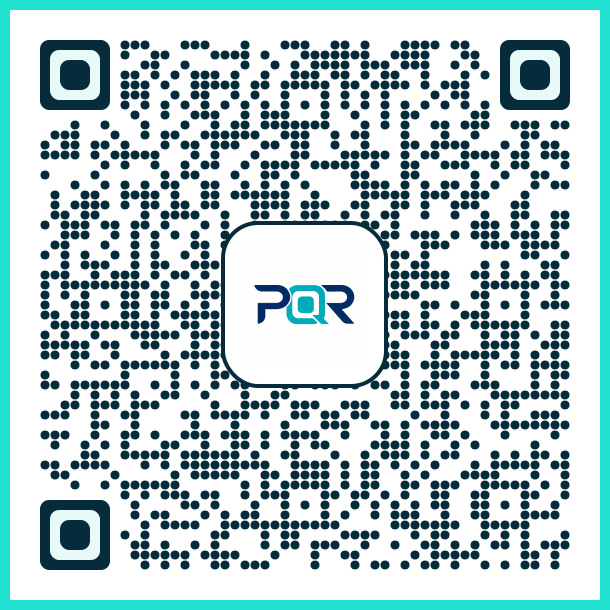
A basic example of an Assembly Instructions QR code configuration involves setting up a QR code that points to a web page with a simple assembly guide. This setup is straightforward and suitable for initial testing or simple product configurations.
const qrConfig = {
  content: "https://example.com/assembly-guide",
  type: "redirect",
  tracking: true
};
This configuration specifies a URL that will be accessed when the QR code is scanned. The type attribute ensures the QR code is treated as a redirect, and tracking enables analytics for the user journey.
Production Example
In a production environment, Assembly Instructions are more complex and must include robust error handling, access control, and analytics. A more complete example demonstrates how to configure a QR code with multiple content options and security features.
const qrConfig = {
  content: {
    web: "https://example.com/assembly-guide",
    pdf: "https://example.com/assembly-guide.pdf",
    video: "https://example.com/assembly-video.mp4"
  },
  type: "redirect",
  tracking: {
    enabled: true,
    parameters: ["source", "product_id", "user_id"]
  },
  accessControl: {
    enabled: true,
    auth: "jwt",
    restrictions: ["geo", "device"]
  },
  analytics: {
    enabled: true,
    events: ["scan", "click", "completion"]
  }
};
This version is more suitable for production because it supports multiple content formats, includes tracking and analytics, and enforces access control. These features ensure that the system is scalable, secure, and provides valuable insights into user behavior.
Common Mistakes
- Not validating the content URL before assigning it to a QR code, leading to broken links or inaccessible content.
- Ignoring access control, which can result in unauthorized access to sensitive or proprietary assembly instructions.
- Overlooking tracking parameters, which limits the ability to gather data on user engagement and behavior.
- Using outdated or unsupported content formats, such as deprecated video codecs or non-responsive web pages.
- Not testing the QR code across different devices and scanners, which can lead to inconsistent user experiences.
Security And Production Notes
- Always validate URLs to ensure they are accessible and secure before assigning them to a QR code.
- Implement access control mechanisms to prevent unauthorized access to assembly instructions.
- Use HTTPS for all content links to ensure secure data transmission.
- Regularly audit and update content to prevent outdated or broken links.
- Ensure that tracking parameters are implemented securely to avoid data leakage or privacy concerns.
Related Concepts
Assembly Instructions are closely related to several other concepts in QR code development and digital product management. These include:
- Dynamic QR Code Generation, which allows for real-time content updates.
- Redirect Safety, which ensures that QR code redirects are secure and reliable.
- Scan Tracking, which enables the collection of user behavior data.
- Link Management, which involves organizing and controlling the flow of digital content.
- Privacy Controls, which govern how user data is collected and used in QR code systems.