 PixQR
PixQR
Overview
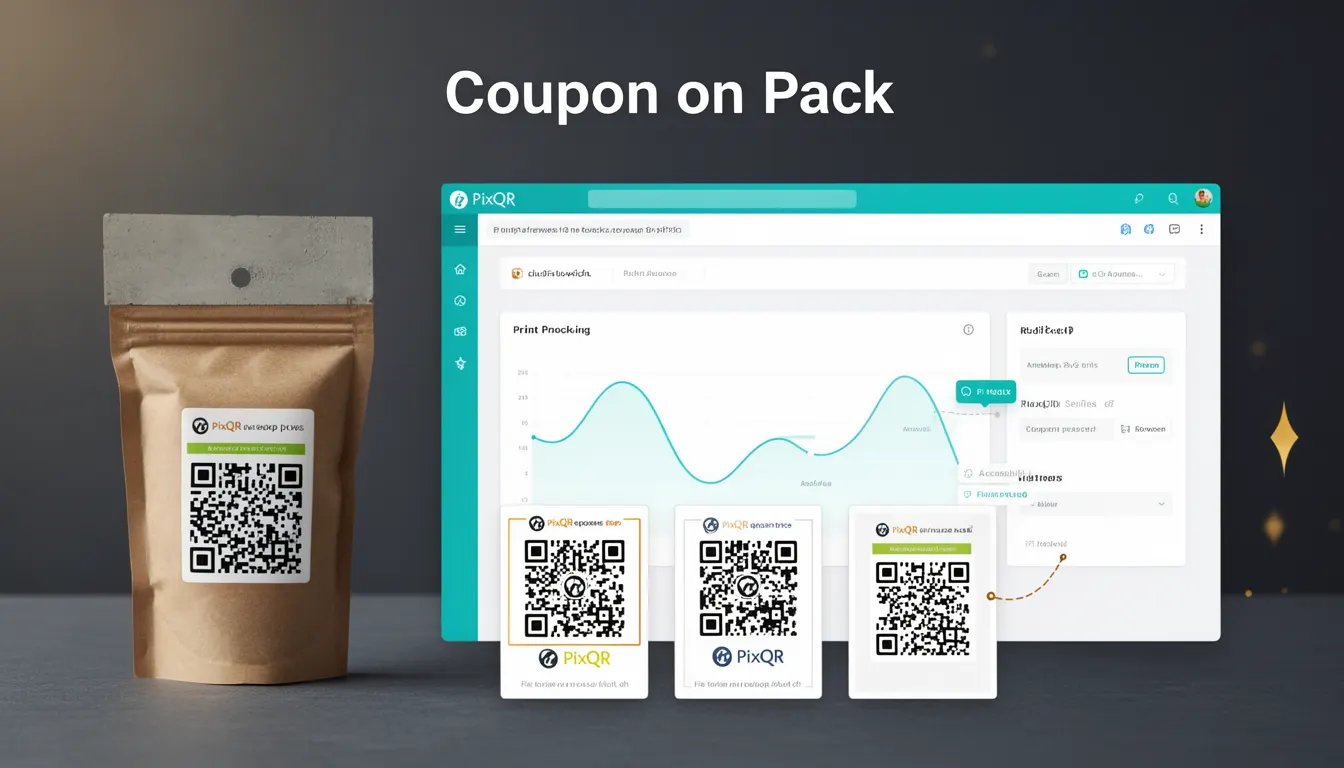
Coupon on Pack is a packaging term used in QR code strategy for physical product branding and digital engagement. It refers to the use of a QR code printed directly on a product package that links to a coupon, discount, or promotional offer. The QR code acts as a bridge between physical packaging and digital redemption systems, allowing consumers to instantly access deals or content via a mobile device scan.
In PixQR's context, Coupon on Pack is implemented as a dynamic redirect system. When a user scans a QR code on a product package, they are directed to a landing page or coupon redemption system. This functionality is critical for brands aiming to drive immediate consumer action, such as increasing sales, collecting user data, or promoting loyalty programs.
Why It Matters
For developers and product teams, Coupon on Pack directly impacts user experience, marketing automation, and analytics tracking. It enables seamless transitions from offline to online commerce, reducing friction in the consumer journey. From a technical perspective, this system must handle high-volume scans, ensure link reliability, and maintain secure redirections.
Security is a key concern in production environments. A misconfigured Coupon on Pack system can lead to unauthorized redirects, phishing risks, or compromised user data. Additionally, the performance of the landing page or redemption system must be optimized to avoid timeouts or poor user experiences. Properly implemented, it supports scalable marketing campaigns and enhances brand trust.
How It Works
The Coupon on Pack functionality in PixQR is built around a dynamic QR code generator that supports URL redirection with tracking and analytics capabilities. When a QR code is scanned, the system resolves the URL and forwards the user to the appropriate destination. The implementation includes several key components:
- Dynamic URL generation with unique identifiers for each coupon or offer.
- Secure redirect handling that prevents malicious link injection.
- Scan analytics to track engagement and redemption rates.
- Integration with third-party coupon or loyalty platforms for seamless redemption.
- Customizable landing page templates for brand consistency.
Each QR code is assigned a unique token upon creation, which is used to track scans and link to specific promotional content. The system supports both HTTP and HTTPS redirects, ensuring secure communication. The QR code can be generated with expiration dates, usage limits, or geographic restrictions to control campaign effectiveness.
Quick Reference
| Item | Purpose | Notes |
|---|---|---|
| QR code token | Unique identifier for each coupon | Used for tracking and analytics |
| Redirect URL | Destination for scanned QR code | Must be HTTPS for security |
| Scan tracking | Monitors how many times QR is scanned | Includes geo, time, device data |
| Redemption system | Handles coupon validation and usage | Integrates with loyalty or payment platforms |
| Expiration date | Controls validity of coupon | Optional but recommended for campaign control |
Basic Example
PixQR Example QR
This QR links directly to this glossary page, so printed notes, onboarding docs, and support material can bring scanners back to the current reference.
/glossary/qr-code-for-packaging/qr-codes-for-packaging-coupon-on-pack

This example shows how a basic Coupon on Pack QR code is generated with a redirect to a promotional page.
// Generate a basic QR code with a coupon URL
const qrCode = pixqr.generate({
  type: 'coupon',
  url: 'https://example.com/coupon/12345',
  expires: '2025-06-30',
  tracking: true
});
The generated QR code points to a unique URL that is tracked for scans. The type parameter specifies that this is a coupon code, and the expires field ensures the offer is valid only until a specified date.
Production Example
This example demonstrates a more robust implementation that includes validation, error handling, and analytics integration.
// Generate a secure, trackable Coupon on Pack QR code
const qrCode = pixqr.generate({
  type: 'coupon',
  url: 'https://secure.example.com/redeem',
  token: 'COUPON_12345',
  expires: '2025-06-30',
  limit: 1000,
  analytics: {
    campaign: 'SummerSale2025',
    channel: 'Packaging'
  },
  security: {
    allowRedirects: ['https://secure.example.com'],
    validateDomain: true
  }
});
This version includes a token for tracking, a usage limit to prevent abuse, and analytics parameters for campaign monitoring. The security object ensures that only approved domains are allowed for redirection, enhancing protection against malicious link injection.
Common Mistakes
- Using HTTP instead of HTTPS for redirect URLs, which can cause browser warnings and reduce trust.
- Not setting expiration dates or usage limits, leading to unlimited or prolonged coupon abuse.
- Hardcoding coupon IDs in QR code generation, which makes tracking and analytics difficult.
- Ignoring analytics configuration, resulting in missed opportunities to measure campaign performance.
- Allowing unrestricted redirects, which opens the system to phishing or malicious link injection.
Security And Production Notes
- Always use HTTPS for all redirect URLs to ensure secure data transmission.
- Validate redirect domains to prevent unauthorized or malicious redirections.
- Implement token-based tracking to avoid exposing internal coupon IDs in URLs.
- Set usage limits and expiration dates to control campaign duration and prevent abuse.
- Log and monitor scan activity to detect unusual behavior or potential fraud.
Related Concepts
Coupon on Pack is closely related to several other QR code and digital engagement concepts:
- Dynamic QR Codes: The ability to change the content of a QR code after creation, essential for updating coupon details without reprinting.
- Redirect Safety: Ensures that QR code links are secure and not prone to phishing or malicious redirections.
- Scan Analytics: Provides data on how many times a QR code is scanned and from where, critical for campaign success.
- Brand-Compliant Design: QR codes must align with brand guidelines for consistency and trust.
- Link Management: The system for organizing and tracking QR code URLs across different campaigns and platforms.