 PixQR
PixQR
Overview
Nutrition Facts, in the context of PixQR, refers to a structured digital data element embedded within QR codes used on product packaging. It enables physical products to connect to detailed nutritional information stored in digital formats. This connection allows users scanning the QR code to access a comprehensive breakdown of ingredients, serving sizes, calorie counts, and other dietary data, directly from the product label.
For developers working with PixQR, Nutrition Facts is a key component when building QR-based product information systems. It bridges physical packaging with digital data platforms, enabling seamless integration of nutritional content into mobile and web applications. This functionality is especially valuable in industries such as food and beverage, pharmaceuticals, and consumer goods, where compliance and transparency are critical.
Why It Matters
From a developer perspective, Nutrition Facts within QR codes is essential for maintaining data integrity and user trust. It allows companies to provide accurate, up-to-date nutritional data without relying on static print media, which can become outdated or misread. This dynamic data approach reduces errors in consumer decision-making and supports compliance with regulatory requirements in many jurisdictions.
For operational workflows, the integration of Nutrition Facts into QR code systems ensures scalable content management. Developers can update nutritional information in a centralized database, which is then automatically reflected in all linked QR codes. This streamlines maintenance, reduces costs, and minimizes the risk of outdated information being distributed.
From a privacy and security standpoint, the use of QR codes to deliver Nutrition Facts supports secure data transmission. PixQR ensures that the connection between the physical product and the digital data source is encrypted and traceable, preventing unauthorized modifications or spoofing of product information.
How It Works
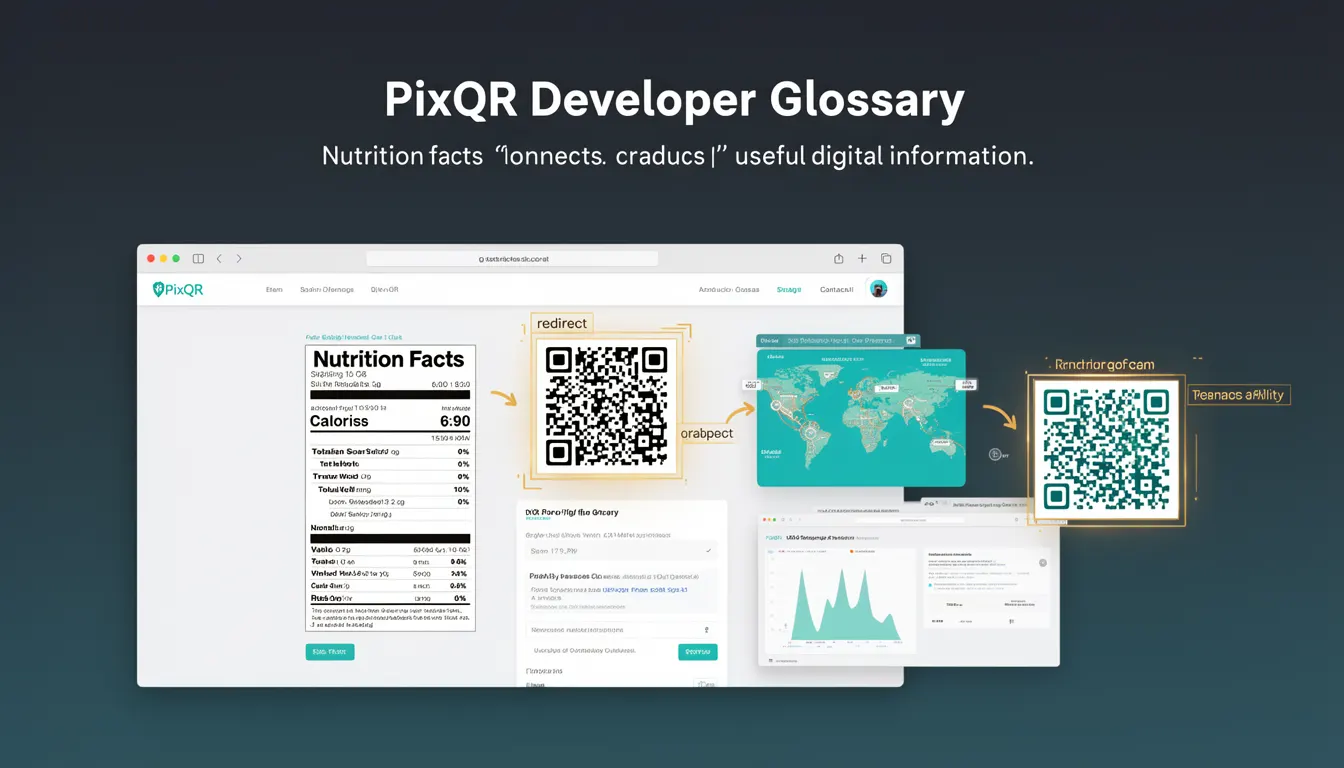
The Nutrition Facts functionality in PixQR operates through a combination of structured data formats, QR code generation, and secure redirect mechanisms. When a QR code is scanned, it directs the user to a URL that hosts the digital Nutrition Facts page. This page is typically generated from structured data, such as JSON-LD or XML, which is stored in a database or content management system.
- QR codes are generated using PixQR's dynamic redirect engine, which maps the scanned code to a secure URL endpoint.
- The endpoint delivers structured data that includes serving size, calories, fat content, protein, and other nutritional components.
- Data is often formatted in compliance with regulatory standards, such as FDA or EU guidelines, to ensure accuracy and legal compliance.
- QR codes can be configured to support multiple languages or regions, allowing for global product distribution.
- Analytics tracking is embedded to monitor scan behavior, providing insights into user engagement and product interest.
Quick Reference
| Item | Purpose | Notes |
|---|---|---|
| Nutrition Facts data format | Structured representation of nutritional content | JSON-LD or XML compliant with regulatory standards |
| QR code redirect URL | Secure endpoint for nutritional data | Must be HTTPS and trackable |
| Dynamic content mapping | Linking QR codes to data sources | Supports real-time updates |
| Scan analytics | Tracking user engagement | Optional, but recommended for insights |
| Multi-language support | Localized data delivery | Configurable per region or product |
Basic Example
PixQR Example QR
This QR links directly to this glossary page, so printed notes, onboarding docs, and support material can bring scanners back to the current reference.
/glossary/qr-code-for-packaging/qr-codes-for-packaging-nutrition-facts

This example demonstrates a simple QR code structure that links to a Nutrition Facts page. The QR code encodes a URL that points to a static nutritional data endpoint.
https://api.pixqr.com/nutrition/123456789The URL is generated by PixQR’s API and maps to a specific product ID. When scanned, the QR code redirects to the Nutrition Facts page, which is built using structured data.
Production Example
In a production environment, a QR code for a food product would be configured with dynamic redirect capabilities, ensuring that nutritional data updates automatically without re-printing labels. The QR code is associated with a secure endpoint that returns structured JSON data.
{
  "product_id": "123456789",
  "name": "Organic Granola Bar",
  "serving_size": "40g (1 bar)",
  "calories": 180,
  "fat": "6g",
  "protein": "3g",
  "carbohydrates": "28g",
  "fiber": "4g",
  "sugar": "12g",
  "ingredients": ["Oats", "Honey", "Almonds", "Coconut Oil"]
}
This version includes a complete data structure that can be rendered into a user-friendly Nutrition Facts panel. The JSON is stored in a database and fetched by the QR code's redirect URL, enabling scalable, maintainable, and secure content delivery.
Common Mistakes
- Using static QR codes for dynamic data: This prevents updates to nutritional information without re-printing labels.
- Not validating data against regulatory standards: This can lead to non-compliance and legal issues.
- Ignoring analytics tracking: Without monitoring, developers cannot assess user engagement or optimize content delivery.
- Hardcoding product IDs in QR code generation: This creates maintenance overhead and increases error risk.
- Using unencrypted endpoints: This exposes nutritional data to interception and tampering.
Security And Production Notes
- Always use HTTPS endpoints for Nutrition Facts data to prevent man-in-the-middle attacks.
- Validate all incoming data against industry standards (e.g., FDA, EFSA) to ensure compliance.
- Implement secure access controls for content management systems to prevent unauthorized edits.
- Use PixQR’s analytics to monitor QR code scan behavior and detect anomalies or potential misuse.
- Regularly audit QR code configurations to ensure they point to valid and up-to-date data sources.
Related Concepts
Several developer concepts are closely related to Nutrition Facts in QR code systems. These include:
- Dynamic QR Code Redirects: The mechanism by which QR codes point to updated content rather than static links.
- Structured Data Formats: The use of JSON-LD or XML to ensure data interoperability and compliance.
- Content Management Systems: Platforms that store and manage product information for dynamic QR code integration.
- Scan Analytics: Tools for tracking QR code usage and user behavior to improve product engagement.
- API Integration: The connection between QR code platforms and backend systems for real-time data delivery.