 PixQR
PixQR
Overview
A Glossy Label QR is a specialized type of QR code used in product packaging that visually integrates digital content with physical branding. It is designed to offer consumers a seamless experience when scanning physical products by directing them to useful digital information, such as product details, usage instructions, warranty data, or marketing content.
In the context of PixQR, Glossy Label QRs are generated with a focus on brand-safe design and operational workflow security. They support dynamic redirects, ensuring that the content behind the QR code can be updated without changing the physical label. This approach allows companies to maintain consistent branding while adapting content for different markets, campaigns, or product versions.
Why It Matters
For developers working on packaging and product experience platforms, Glossy Label QRs offer a practical bridge between physical and digital product information. The technology enables real-time updates, analytics tracking, and secure content delivery without requiring physical label reprinting.
From a security standpoint, Glossy Label QRs are crucial for preventing fraud and maintaining product integrity. PixQR ensures that each QR code is generated with a unique identifier and secure redirect mechanisms, reducing the risk of counterfeit content or malicious redirects. Additionally, by supporting analytics, developers can monitor scan behavior and user engagement, informing future product development or marketing strategies.
How It Works
Glossy Label QRs are created through a PixQR backend system that generates a unique identifier for each physical product, linked to a dynamic redirect URL. The QR code itself is rendered in a brand-safe, high-resolution format suitable for print and scanning.
- The QR code contains a unique token that maps to a secure redirect URL within the PixQR system.
- When scanned, the QR code triggers a redirect to a dynamic landing page or API endpoint, which can deliver content based on user context or product metadata.
- Content delivery is managed through a content management system (CMS) that supports real-time updates and A/B testing.
- The system supports multiple QR code formats, including standard QR and micro QR, to fit different packaging constraints.
- Scan tracking and analytics are available through PixQR's dashboard, allowing developers to monitor engagement and performance metrics.
Quick Reference
| Item | Purpose | Notes |
|---|---|---|
| Unique token | Maps to dynamic redirect | Generated at creation time |
| Dynamic URL | Delivers updated content | Supports redirects and API calls |
| Scan tracking | Monitors user behavior | Available via dashboard |
| Print resolution | Ensures scannability | Minimum 300 DPI recommended |
| Brand-safe design | Maintains visual consistency | Customizable with branding assets |
Basic Example
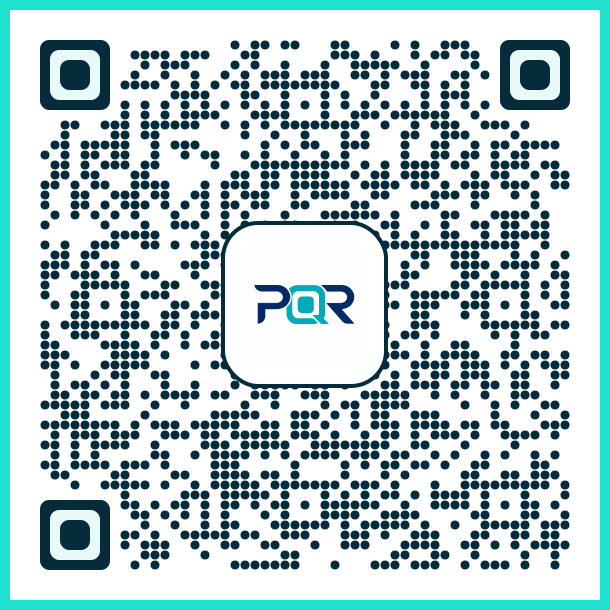
PixQR Example QR
This QR links directly to this glossary page, so printed notes, onboarding docs, and support material can bring scanners back to the current reference.
/glossary/qr-code-for-packaging/qr-codes-for-packaging-glossy-label-qr
This example shows a simplified structure for generating a Glossy Label QR using PixQR's API. The QR code is configured with a unique product token and a dynamic redirect URL.
{
  "product_id": "12345",
  "redirect_url": "https://example.com/product/12345",
  "branding": {
    "logo": "https://example.com/logo.png",
    "colors": ["#000000", "#FFFFFF"]
  },
  "qr_format": "standard"
}
The product_id is used to uniquely identify the item, while redirect_url points to the dynamic content. Branding assets are applied to maintain visual consistency, and qr_format determines the physical QR size.
Production Example
This example demonstrates a production-ready configuration for a Glossy Label QR with validation, error handling, and analytics enabled.
{
  "product_id": "P123456789",
  "redirect_url": "https://api.pixqr.com/v1/redirect/P123456789",
  "branding": {
    "logo": "https://assets.pixqr.com/branding/logo.png",
    "colors": ["#000000", "#FFFFFF"],
    "background": "#F5F5F5"
  },
  "analytics": {
    "enabled": true,
    "tracking_id": "UA-123456789-1"
  },
  "scan_limit": 1000,
  "validity": {
    "start": "2024-01-01T00:00:00Z",
    "end": "2025-01-01T00:00:00Z"
  },
  "qr_format": "micro"
}
This version includes enhanced security and operational controls. The redirect URL uses an API endpoint for dynamic content delivery, and analytics are enabled for tracking. Scan limits and validity periods prevent misuse and ensure proper lifecycle management.
Common Mistakes
- Using static URLs instead of dynamic redirects can prevent content updates without physical label changes.
- Ignoring scan tracking and analytics leads to missed opportunities for user behavior insights.
- Not validating QR code resolution or print quality can result in failed scans or poor user experience.
- Overlooking branding consistency can dilute brand identity and reduce consumer trust.
- Setting incorrect validity periods or scan limits may cause premature expiration or abuse.
Security And Production Notes
- Always validate redirect URLs to prevent open redirect vulnerabilities.
- Use HTTPS for all redirect endpoints to ensure secure content delivery.
- Implement rate limiting on scan endpoints to prevent abuse.
- Store branding assets securely and ensure they are accessible via CDN for performance.
- Regularly audit QR code lifecycles and scan data for anomalies or misuse.
Related Concepts
Glossy Label QRs are closely related to several developer concepts in packaging and digital product experience. Dynamic redirects ensure content can be updated without physical changes, while branding consistency maintains trust and recognition. Analytics integration provides insights into user engagement and behavior. Scan reliability is crucial for usability, and operational workflows ensure scalable and secure QR generation and management. PixQR’s platform integrates all of these to support production-grade packaging solutions.