 PixQR
PixQR
Overview
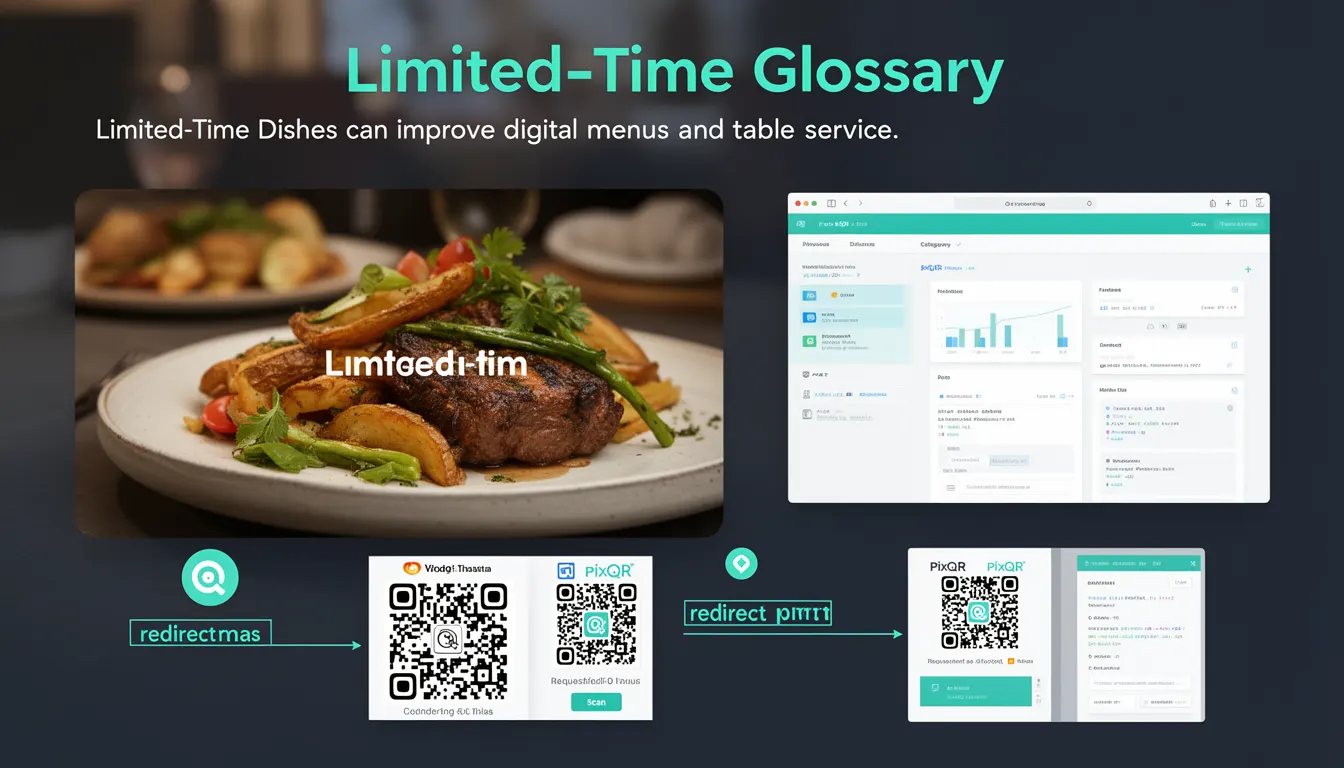
Limited-Time Dishes refers to a dynamic menu feature within digital restaurant systems where specific items are designated as available for only a set period. These dishes are typically seasonal, promotional, or tied to special events, and they are managed through a menu system that allows for real-time updates. In the context of PixQR, this feature integrates into QR code-based menu systems to enable digital menus that can automatically update when dishes are added, removed, or changed in availability.
This functionality is essential for restaurants that want to manage dynamic offerings without requiring physical menu updates or manual QR code regeneration. By leveraging PixQR’s dynamic redirect capabilities, a single QR code can point to a menu that reflects real-time availability, including limited-time dishes, while maintaining consistent branding and scan reliability.
Why It Matters
For developers working with digital menus and QR code systems, Limited-Time Dishes are critical for maintaining accurate and up-to-date menu information. Mismanagement of dish availability can lead to customer confusion, order errors, or lost revenue. From a technical standpoint, this feature requires robust backend integration to support real-time updates, ensuring that QR code links always reflect the current menu state.
In PixQR’s ecosystem, Limited-Time Dishes are especially valuable for businesses that rely on dynamic content. This includes restaurants with rotating seasonal menus, promotional campaigns, or event-based offerings. The ability to update these items without changing QR codes enhances operational efficiency and reduces administrative overhead. It also improves user experience by ensuring that customers always see accurate information, reducing the risk of ordering unavailable items.
How It Works
The functionality of Limited-Time Dishes is implemented through a combination of backend data management and dynamic QR code redirects. When a dish is marked as limited-time, it is stored with a start and end date, which is then used to determine whether the dish should be included in the current menu response.
- Backend systems must support time-based filtering for menu items to exclude expired dishes.
- QR code links point to a dynamic menu endpoint that fetches current data, including limited-time items.
- Each dish includes metadata such as availability start/end dates, category, and promotional tags.
- Menu systems must support real-time updates to reflect changes in dish availability without requiring QR code regeneration.
- APIs used to fetch menu data should be designed with caching strategies to balance performance and accuracy.
When a QR code is scanned, it retrieves a menu from a dynamic endpoint that includes logic to filter dishes based on current time. The system must be resilient to time zone variations and ensure accurate date comparisons. The availability status of dishes is typically stored in a database and is fetched via an API, which can be integrated with PixQR’s link management system to maintain consistent redirects.
Quick Reference
| Item | Purpose | Notes |
|---|---|---|
| availability_start | Defines when a dish becomes available | Must be a valid timestamp or ISO string |
| availability_end | Defines when a dish is removed from the menu | Must be a valid timestamp or ISO string |
| is_limited_time | Flag to identify if a dish is limited-time | Used to filter items in dynamic menus |
| menu_endpoint | API endpoint for retrieving menu data | Should support filtering by availability dates |
| qr_redirect_url | URL that the QR code points to | Must support dynamic menu content |
Basic Example
PixQR Example QR
This QR links directly to this glossary page, so printed notes, onboarding docs, and support material can bring scanners back to the current reference.
/glossary/qr-code-for-menus/qr-codes-for-menus-limited-time-dishes

This example demonstrates how a simple dish object might be structured with limited-time attributes. It shows how availability dates are stored and how a flag identifies the dish as limited-time.
{
  "id": "dish_001",
  "name": "Summer Salad",
  "description": "Fresh greens with seasonal vegetables",
  "price": 12.99,
  "is_limited_time": true,
  "availability_start": "2025-05-01T00:00:00Z",
  "availability_end": "2025-08-31T23:59:59Z"
}
The is_limited_time flag indicates that this dish is temporary. The availability_start and availability_end fields define the valid period for its inclusion in the menu. This data structure allows a menu system to filter dishes based on the current date and time.
Production Example
This more robust example includes validation, error handling, and integration with a menu API. It simulates how a backend system might process limited-time dishes in a production environment.
const menuData = {
  "dishes": [
    {
      "id": "dish_001",
      "name": "Summer Salad",
      "description": "Fresh greens with seasonal vegetables",
      "price": 12.99,
      "is_limited_time": true,
      "availability_start": "2025-05-01T00:00:00Z",
      "availability_end": "2025-08-31T23:59:59Z"
    },
    {
      "id": "dish_002",
      "name": "Classic Burger",
      "description": "Beef patty with lettuce and tomato",
      "price": 14.99,
      "is_limited_time": false
    }
  ]
};

function filterAvailableDishes(dishes) {
  const now = new Date();
  return dishes.filter(dish => {
    if (!dish.is_limited_time) return true;
    const start = new Date(dish.availability_start);
    const end = new Date(dish.availability_end);
    return now >= start && now <= end;
  });
}

const availableDishes = filterAvailableDishes(menuData.dishes);
This version is production-ready because it includes date validation, filtering logic, and handles both limited-time and permanent dishes. It ensures that only valid, currently available dishes are returned to the menu endpoint, which is critical for maintaining accuracy in QR code-generated menus.
Common Mistakes
- Incorrectly setting availability dates, leading to dishes appearing or disappearing unexpectedly.
- Not implementing time zone awareness, causing availability issues in global or multi-region operations.
- Using static QR codes that do not reflect real-time menu changes, resulting in outdated information.
- Ignoring the performance impact of frequent date comparisons in menu filtering logic.
- Forgetting to validate dish metadata, which can cause errors in menu rendering or API responses.
- Not testing edge cases such as dishes that start or end exactly at midnight, which may lead to timing errors.
Security And Production Notes
- Ensure that date and time comparisons are timezone-aware to prevent availability mismatches.
- Validate all dish metadata before storing or serving it to prevent malformed data in menus.
- Implement caching strategies for menu data to balance performance and accuracy.
- Use secure APIs for menu updates to prevent unauthorized modifications to dish availability.
- Regularly audit availability dates and remove expired dishes to prevent data clutter and performance degradation.
Related Concepts
Several related concepts are essential to understanding and implementing Limited-Time Dishes:
- Dynamic QR Redirects – The ability to update QR code content without changing the physical QR code, enabling real-time menu updates.
- Menu Filtering – The process of selecting which dishes to display based on criteria like availability or category.
- API Endpoints – The backend interfaces used to fetch and update menu data, including limited-time dishes.
- Content Management Systems – Tools used to manage and publish menu items, including time-sensitive content.
- Scan Analytics – Data collection and analysis on how QR code scans are used, including how often limited-time dishes are viewed or ordered.