 PixQR
PixQR
Overview
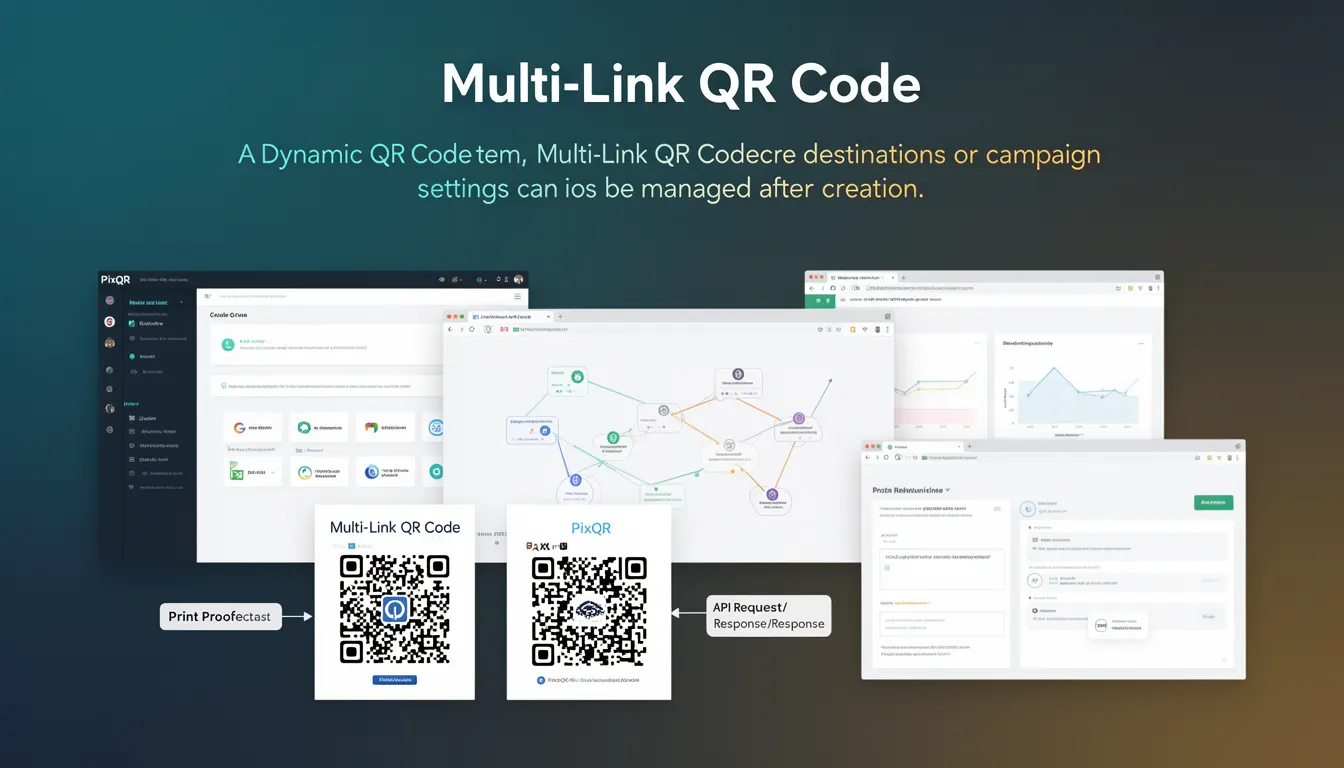
A Multi-Link QR Code is a dynamic QR code type that allows a single QR code to redirect to multiple destinations or campaign settings after its initial creation. Unlike static QR codes, which are fixed in their destination, Multi-Link QR codes offer flexibility to update or modify the underlying links without regenerating the QR code itself.
This functionality is particularly valuable in marketing campaigns, event management, and product distribution where link content may change over time. For example, a QR code used for a promotional campaign can be updated to point to a different landing page or redirect to a new product URL, without requiring a new physical or digital QR code to be generated and deployed.
Why It Matters
Multi-Link QR codes are essential for dynamic content management and operational flexibility. In production environments, this feature allows teams to adjust redirects in response to real-time events, such as changing campaign messages, updating product information, or modifying promotional offers. It reduces the need for physical reprints, digital redeployments, and associated logistical overhead.
From a developer standpoint, this capability supports more agile workflows and improves maintainability. It also aligns with modern expectations for responsive, adaptive content delivery. In PixQR, Multi-Link QR codes can be managed through an API or dashboard, allowing for batch updates, analytics tracking, and campaign control without needing to reissue QR codes.
How It Works
Multi-Link QR codes operate by storing a reference to a configuration or routing system rather than a direct URL. This configuration can include multiple destinations, routing logic, or campaign metadata that determines where a user is redirected when scanning the code.
- The QR code itself encodes a unique identifier (ID) that points to a backend service or API endpoint.
- The backend service uses this ID to retrieve the current list of destinations or routing rules.
- Each destination can be assigned a priority, time-based validity, or conditional logic (e.g., geographic region, user agent).
- When a user scans the QR code, the PixQR system resolves the ID to a current destination based on active rules.
- Changes to destinations or settings are immediately reflected in the QR code's behavior without requiring regeneration.
Quick Reference
| Item | Purpose | Notes |
|---|---|---|
| QR Code ID | Unique identifier for the Multi-Link configuration | Used to fetch routing rules from backend |
| Destination List | Array of URLs or campaign settings | Can be updated in real-time |
| Routing Logic | Rules for determining which destination to use | May include priority, time, or conditional rules |
| Update API | Endpoint to modify destinations or settings | Requires authentication and validation |
| Analytics | Tracking scan data and destination performance | Can include geo, time, and user agent data |
Basic Example
PixQR Example QR
This QR links directly to this glossary page, so printed notes, onboarding docs, and support material can bring scanners back to the current reference.
/glossary/qr-code-dynamic/dynamic-qr-codes-multi-link-qr-code
This example demonstrates the basic structure of a Multi-Link QR code configuration, showing how a QR code can point to a backend service that manages multiple destinations.
{
  "id": "mlc_1234567890",
  "destinations": [
    {
      "url": "https://example.com/campaign-a",
      "priority": 1,
      "valid_from": "2024-01-01T00:00:00Z",
      "valid_to": "2024-01-31T23:59:59Z"
    },
    {
      "url": "https://example.com/campaign-b",
      "priority": 2,
      "valid_from": "2024-02-01T00:00:00Z",
      "valid_to": "2024-02-28T23:59:59Z"
    }
  ]
}
The id field is used to identify the QR code in the PixQR system. The destinations array contains multiple URLs with priority and time-based validity. The system selects the appropriate destination based on current time and priority rules.
Production Example
In a production environment, a Multi-Link QR code configuration may include validation, error handling, and structured analytics. This example shows a more robust implementation that ensures data integrity and provides real-time updates.
{
  "id": "mlc_9876543210",
  "destinations": [
    {
      "url": "https://shop.example.com/product-a",
      "priority": 1,
      "valid_from": "2024-01-01T00:00:00Z",
      "valid_to": "2024-03-31T23:59:59Z",
      "conditions": {
        "geo": ["US", "CA"],
        "user_agent": "mobile"
      }
    },
    {
      "url": "https://shop.example.com/product-b",
      "priority": 2,
      "valid_from": "2024-04-01T00:00:00Z",
      "valid_to": "2024-06-30T23:59:59Z",
      "conditions": {
        "geo": ["EU"],
        "user_agent": "desktop"
      }
    }
  ],
  "analytics": {
    "enabled": true,
    "track": ["url", "geo", "timestamp"]
  },
  "updated_at": "2024-03-15T10:00:00Z"
}
This version includes conditional logic for geo and user agent, enabling targeted redirects. Analytics are enabled to track performance, and the updated_at timestamp helps with version control. This structure supports scalable, maintainable QR code campaigns.
Common Mistakes
- Using a single URL in the destinations array instead of multiple options, which defeats the purpose of a Multi-Link QR code.
- Not setting valid time ranges, leading to outdated or invalid redirects that may confuse users or break campaigns.
- Overlooking conditional logic, resulting in incorrect destination routing for specific user segments.
- Ignoring analytics or logging, which prevents tracking performance and making informed updates.
- Not validating input data when updating destinations, potentially introducing malformed or unsafe URLs.
Security And Production Notes
- Ensure all destination URLs are validated to prevent open redirect vulnerabilities.
- Use secure API endpoints for updating QR code configurations to prevent unauthorized changes.
- Implement access controls and audit logs to track who modifies Multi-Link QR code settings.
- Set time-based validity for destinations to avoid long-term exposure of outdated or compromised links.
- Sanitize and escape all dynamic content in analytics to prevent injection or tracking issues.
Related Concepts
Multi-Link QR codes are closely related to several other QR code and web development concepts. Dynamic QR codes, which allow updates after creation, are foundational to Multi-Link functionality. Campaign management systems often integrate with Multi-Link QR codes to control redirects and track performance. Analytics and tracking systems help monitor how users interact with different destinations. API-based QR code generation and management platforms like PixQR provide the infrastructure for dynamic updates. Lastly, security practices such as input validation and access control are essential for maintaining the integrity of Multi-Link configurations.