 PixQR
PixQR
Overview
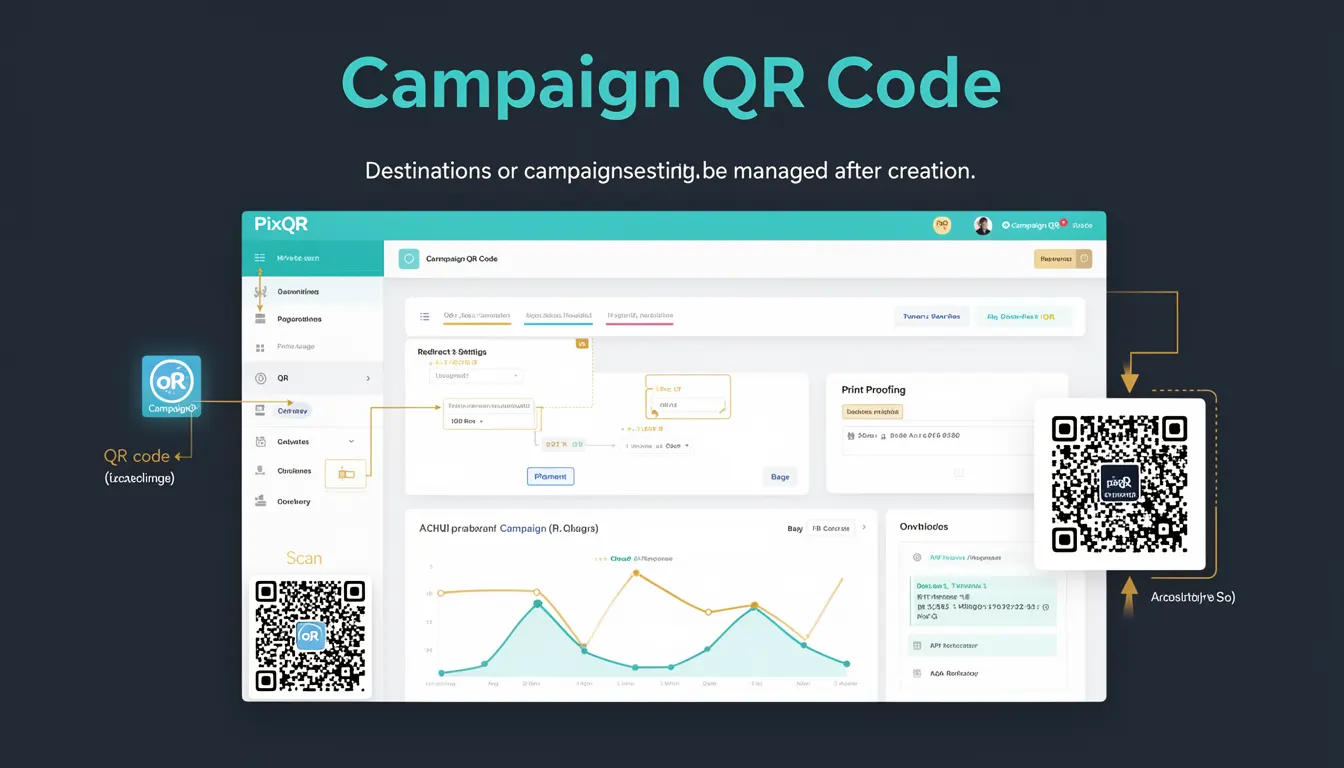
A Campaign QR Code in the PixQR platform refers to a dynamic QR code that allows administrators or marketers to modify the destination URL or campaign settings after the code has been generated and deployed. Unlike static QR codes, which are fixed at creation time, Campaign QR Codes provide flexibility for updating redirects, content, or analytics tracking without re-printing or re-generating the physical code.
This feature is especially valuable for marketing teams running time-sensitive promotions, A/B testing campaigns, or events where the target URL may change. Campaign QR Codes are implemented through a backend system that maps a unique identifier (often a UUID or shortcode) to a dynamic configuration, which is then resolved at scan time.
Why It Matters
For developers and operations teams, Campaign QR Codes enable agile campaign management and reduce the operational overhead of managing multiple QR code versions. This is critical in environments where rapid changes are required, such as during product launches, seasonal promotions, or emergency updates. It also improves analytics accuracy by allowing for centralized tracking and real-time adjustments to campaign performance metrics.
From a security perspective, Campaign QR Codes support access control and audit logging to track who made changes to a campaign and when. This helps maintain compliance with internal policies and data governance standards. For marketers, this flexibility allows for more responsive and data-driven decision-making, as they can react to campaign performance or external events without needing to reissue physical materials.
How It Works
At its core, a Campaign QR Code works by associating a unique identifier with a set of dynamic parameters that define where the scan should redirect and what analytics or tracking should be applied. The QR code itself contains a short identifier or hash that points to a backend database or API endpoint.
- When a user scans a Campaign QR Code, the scanner resolves the identifier to a current destination URL stored in the PixQR system.
- The system supports multiple destination types including HTTP/HTTPS links, internal campaign URLs, or even deep links to mobile apps.
- Each Campaign QR Code can be assigned to a specific campaign group, allowing for hierarchical tracking and reporting.
- Administrators can update campaign settings such as destination URLs, tracking parameters, or expiration dates through a secure dashboard or API.
- The platform ensures that updates are propagated across all instances of the QR code in real time, without requiring physical re-printing or re-generation.
Quick Reference
| Item | Purpose | Notes |
|---|---|---|
| Campaign ID | Unique identifier for a campaign | Used to map QR codes to dynamic settings |
| Destination URL | Where the QR code redirects | Can be updated post-creation |
| Tracking Parameters | Analytics or UTM tags associated with the campaign | Updated with the campaign settings |
| Expiration Date | When the campaign QR code becomes inactive | Can be extended or shortened |
| Group Assignment | Organizes QR codes under a campaign category | Used for reporting and analytics |
Basic Example
PixQR Example QR
This QR links directly to this glossary page, so printed notes, onboarding docs, and support material can bring scanners back to the current reference.

The following example demonstrates how a Campaign QR Code might be initialized with a default URL and then updated later via an API call.
// Create a new campaign QR code with an initial destination
const campaignQR = {
  id: "c1234567-89ab-cdef-0123-456789abcdef",
  destination: "https://example.com/campaign1",
  group: "Summer2025",
  expires: "2025-08-31"
};

// Later, update the destination URL
campaignQR.destination = "https://example.com/campaign1-updated";
This simple example shows how a QR code's destination can be modified after creation, which is the core functionality of a Campaign QR Code. The ID remains constant, ensuring that scans continue to resolve to the correct updated destination.
Production Example
In a production environment, Campaign QR Codes are managed through a secure API that supports version control, audit logging, and multi-user access. The following example illustrates a more realistic implementation involving API validation and error handling.
// Initialize a campaign QR code with validation
function createCampaignQRCode(config) {
  if (!config.id || !config.destination) {
    throw new Error("Missing required fields: id or destination");
  }

  const qrCode = {
    id: config.id,
    destination: config.destination,
    group: config.group || "default",
    tracking: config.tracking || {},
    expires: config.expires || null
  };

  // Simulate API call to store QR code
  storeQRCode(qrCode);
  return qrCode;
}

// Update campaign settings
function updateCampaignSettings(id, updates) {
  const existing = fetchQRCode(id);
  if (!existing) {
    throw new Error("Campaign QR code not found");
  }

  const updated = { ...existing, ...updates };
  storeQRCode(updated);
  return updated;
}
This version is more suitable for production because it includes validation, error handling, and a structured approach to managing QR code lifecycle. It ensures that changes to campaign settings are logged and applied correctly without breaking existing scans.
Common Mistakes
- Not validating the destination URL before updating a campaign, leading to broken redirects.
- Using hardcoded IDs instead of UUIDs, which can lead to collisions or misconfigurations.
- Updating campaign settings without considering the impact on analytics or tracking consistency.
- Ignoring expiration dates, which can result in outdated or misleading QR code behavior.
- Failing to audit or log changes to campaign settings, making it difficult to track modifications or troubleshoot issues.
Security And Production Notes
- Always validate and sanitize URLs before updating a campaign destination to prevent open redirect vulnerabilities.
- Implement role-based access controls to ensure only authorized users can modify campaign settings.
- Log all changes to campaign QR codes for compliance and audit purposes.
- Use HTTPS for all API endpoints to ensure secure transmission of campaign data.
- Implement rate limiting on API calls to prevent abuse or denial-of-service attacks on campaign management.
Related Concepts
Several closely related concepts are foundational to understanding Campaign QR Codes:
- Dynamic QR Code: A QR code that can be updated post-creation, which is the core functionality of a Campaign QR Code.
- Redirect Management: The process of defining and controlling where a QR code leads, which is a key feature of Campaign QR Codes.
- Analytics Integration: Campaign QR Codes often support UTM parameters or custom tracking, which helps measure campaign effectiveness.
- API-Driven QR Code Systems: Campaign QR Codes are typically managed through backend APIs, enabling automation and scalability.
- Scan Tracking: The ability to monitor and log QR code scans, which is enhanced by Campaign QR Codes when settings are updated.