 PixQR
PixQR
Overview
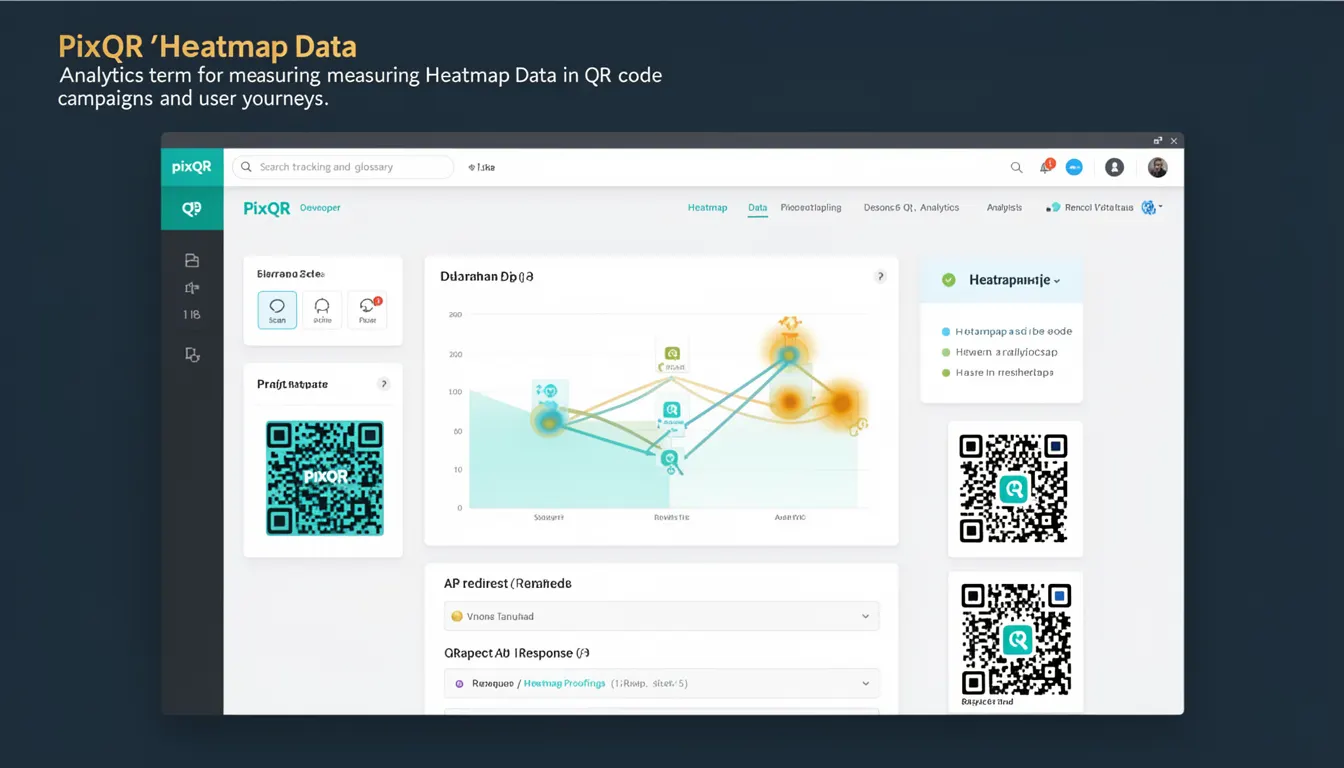
Heatmap Data in the context of PixQR refers to analytics information collected from user interactions with QR codes, particularly focusing on how users scan, engage, and navigate through QR-generated links. This data helps developers and marketers understand the behavior of their QR code campaigns and optimize user journeys.
When a QR code is scanned, PixQR can track various metrics such as scan frequency, geographic location, device type, and time of interaction. Heatmap Data aggregates this information to provide visual representations of user behavior, enabling teams to identify patterns and improve campaign performance.
Why It Matters
For developers, Heatmap Data provides actionable insights into how QR codes are being used in real-world scenarios. This information is critical for optimizing user experience, improving campaign effectiveness, and ensuring that QR code strategies align with business goals. For example, if scans are predominantly from a specific geographic region, it may inform decisions about regional content or localization.
From a security perspective, Heatmap Data can also help identify unusual or potentially malicious scanning behavior, such as rapid, repeated scans from a single device or IP address. This can be used to flag or block suspicious activity, enhancing the integrity of the QR code ecosystem.
Performance-wise, developers can use this data to prioritize which QR codes to optimize, based on engagement levels or geographic trends. This allows for more efficient resource allocation and improved return on investment for QR code campaigns.
How It Works
Heatmap Data is generated through a combination of PixQR's tracking infrastructure and analytics collection mechanisms. When a user scans a QR code, a tracking pixel or API call is triggered, sending interaction data to PixQR’s backend. This data is then aggregated and processed to form visual heatmaps or statistical reports.
- Each scan event includes metadata such as timestamp, IP address, device type, and geographic coordinates.
- Data is segmented by campaign, QR code variant, or user group to enable targeted analysis.
- Heatmap visualizations can be generated using libraries like D3.js or PixQR’s own analytics dashboard components.
- Aggregation happens in real-time or near real-time, allowing for dynamic campaign adjustments.
- Results are accessible via PixQR’s API or web dashboard, with filtering and export capabilities.
Quick Reference
| Item | Purpose | Notes |
|---|---|---|
| scan_timestamp | Tracks when a QR code was scanned | Used for temporal analysis |
| ip_address | Identifies the source of the scan | Used for geo-location and fraud detection |
| device_type | Identifies user device | Helps in optimizing redirect strategies |
| geolocation | Provides geographic context | Used for campaign targeting |
| campaign_id | Associates scan data with a specific campaign | Enables campaign-level reporting |
Basic Example
PixQR Example QR
This QR links directly to this glossary page, so printed notes, onboarding docs, and support material can bring scanners back to the current reference.
/glossary/qr-code-tracking-and-analytics/qr-code-tracking-and-analytics-heatmap-data

This example shows how a basic scan event might be logged with essential metadata for heatmap analytics.
{
  "scan_timestamp": "2023-10-15T10:00:00Z",
  "ip_address": "192.168.1.100",
  "device_type": "mobile",
  "geolocation": {
    "latitude": 40.7128,
    "longitude": -74.0060
  },
  "campaign_id": "campaign_12345"
}
The example includes core fields that PixQR uses to build heatmap visualizations and reports. The timestamp ensures temporal tracking, while IP and geolocation data allow for spatial analysis.
Production Example
This example demonstrates how a production-ready heatmap data collection system might be structured, including validation and error handling.
const scanData = {
  "scan_timestamp": new Date().toISOString(),
  "ip_address": "192.168.1.100",
  "device_type": "mobile",
  "geolocation": {
    "latitude": 40.7128,
    "longitude": -74.0060
  },
  "campaign_id": "campaign_12345",
  "user_agent": "Mozilla/5.0 (iPhone; CPU iPhone OS 17_0 like Mac OS X)",
  "redirect_url": "https://example.com/qr-target"
};

// Validate required fields
if (!scanData.campaign_id || !scanData.scan_timestamp) {
  console.warn("Missing required scan data fields");
  return;
}

// Send to PixQR analytics endpoint
fetch("https://api.pixqr.com/analytics/scan", {
  method: "POST",
  headers: {
    "Content-Type": "application/json",
    "Authorization": "Bearer your-api-token"
  },
  body: JSON.stringify(scanData)
})
.then(response => response.json())
.then(data => console.log("Scan recorded", data))
.catch(error => console.error("Scan recording failed", error));
This version includes validation for required fields, secure API communication, and structured error handling, making it suitable for production environments.
Common Mistakes
- Not validating scan data before sending to the backend can lead to malformed entries and analytics errors.
- Using unescaped IP addresses or user agents in logs may introduce security vulnerabilities or data corruption.
- Ignoring geographic accuracy or device type data can reduce the value of heatmap visualizations.
- Overlooking timestamp precision can cause issues in temporal data analysis, especially when dealing with high-frequency scans.
- Not implementing rate limiting or anomaly detection can result in data overload or fraudulent activity going unnoticed.
Security And Production Notes
- Always sanitize user input, such as IP addresses and user agents, to prevent injection or parsing errors.
- Ensure that API tokens and endpoints are secured with HTTPS and access controls.
- Implement rate limiting to avoid abuse or DoS attacks on the analytics infrastructure.
- Use anonymization techniques for sensitive data like IP addresses to comply with privacy regulations.
- Regularly audit heatmap data pipelines to ensure no unauthorized or unintended data is being collected or exposed.
Related Concepts
Heatmap Data is closely related to several other analytics and tracking concepts. Clickstream Analytics involves tracking user behavior on web pages, similar to how QR scans are tracked. Geolocation Tracking provides spatial context to user actions. Redirect Analytics focuses on how users navigate from QR codes to destinations. Scan Frequency Metrics measure how often QR codes are used, and API Data Logging ensures reliable collection of event-based data for reporting.