 PixQR
PixQR
Overview
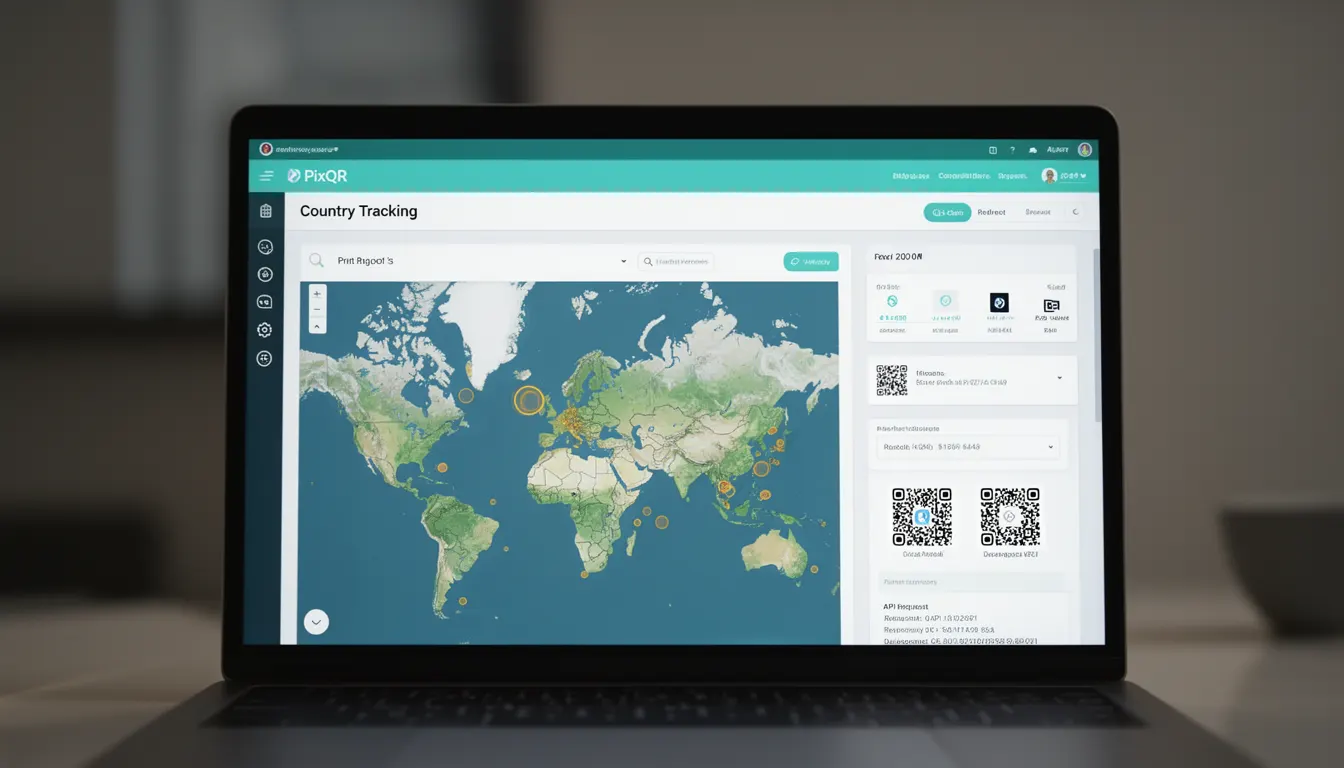
Country Tracking in the context of PixQR refers to the ability to monitor and analyze the geographic origin of users who scan a QR code. This feature enables developers and marketers to understand which regions or countries are engaging with specific QR code campaigns, providing valuable insights for localization, regional targeting, and performance optimization.
When a user scans a QR code, the system can detect the IP address of the scanning device and map it to a geographic location. This location data is then used to generate reports showing the distribution of scans across different countries. Country Tracking is particularly valuable for global campaigns, compliance monitoring, and optimizing content or offers for specific markets.
Why It Matters
For developers and product teams using PixQR, Country Tracking provides actionable data for decision-making. It allows for the identification of high-performing regions, enabling targeted marketing strategies or content localization. For example, if a QR code used in a European campaign shows low engagement from North American users, it may indicate a need to adjust the campaign approach or redirect users to region-specific content.
From a security standpoint, Country Tracking helps detect unusual scanning patterns that may indicate fraudulent activity or unauthorized access attempts. If a QR code is suddenly being scanned predominantly from unexpected regions, it could signal a compromise or misuse of the code. Additionally, for compliance purposes, organizations may need to track geographic usage to meet data residency requirements or regional regulations.
How It Works
Country Tracking in PixQR operates by leveraging IP geolocation services during the QR code scanning process. When a user scans a QR code, the system records the IP address of the scanning device and performs a lookup against a geolocation database to determine the originating country. This data is then aggregated and presented in analytics dashboards.
- The IP address is captured at the time of scan and used for geolocation lookup.
- Geolocation databases are updated regularly to ensure accuracy of country mapping.
- Results are cached to improve performance and reduce redundant lookups.
- Country data is available in real-time for active campaigns and historical reporting.
- Privacy controls allow users to opt out of geolocation tracking for compliance with regulations like GDPR.
Quick Reference
| Item | Purpose | Notes |
|---|---|---|
| Country Tracking | Identifies geographic origin of QR code scans | Enabled by default in PixQR analytics |
| IP Geolocation | Maps IP address to country | Uses third-party database services |
| Scan Logs | Stores raw scan data including IP addresses | Used for analytics and reporting |
| Privacy Controls | Allows users to opt out of tracking | Required for GDPR compliance |
| Real-Time Reports | Provides live country distribution data | Updated every few minutes |
Basic Example
PixQR Example QR
This QR links directly to this glossary page, so printed notes, onboarding docs, and support material can bring scanners back to the current reference.
/glossary/qr-code-tracking-and-analytics/qr-code-tracking-and-analytics-country-tracking

A basic implementation of Country Tracking involves setting up a QR code with analytics enabled and observing the resulting country distribution in the PixQR dashboard.
const qrCode = new PixQR({
  url: 'https://example.com',
  analytics: {
    countryTracking: true
  }
});
This code snippet initializes a QR code with Country Tracking enabled. The countryTracking flag ensures that scan data includes geographic origin information, which will be visible in the analytics reports.
Production Example
In a production environment, Country Tracking should be configured with proper error handling and privacy considerations to ensure compliance and reliability.
const qrCode = new PixQR({
  url: 'https://example.com',
  analytics: {
    countryTracking: true,
    privacy: {
      optOut: true
    }
  },
  onScan: function(data) {
    if (data.country) {
      console.log('Scan from country:', data.country);
    }
  }
});
This version includes a privacy opt-out option and a scan handler to process country data. It ensures that the implementation respects user privacy while still collecting valuable geographic information for analytics.
Common Mistakes
- Disabling Country Tracking without understanding its impact on campaign analytics and reporting.
- Not implementing proper error handling for geolocation lookups, leading to incomplete or inaccurate data.
- Ignoring privacy regulations like GDPR by failing to provide opt-out mechanisms for users.
- Assuming IP geolocation accuracy is 100%, which can lead to misinterpretation of data in regions with shared IP addresses.
- Using Country Tracking data for personalization without validating the reliability of the geolocation service.
Security And Production Notes
- Ensure that IP address data is handled securely and in compliance with data protection regulations.
- Implement rate limiting for geolocation lookups to prevent abuse and maintain service availability.
- Regularly update geolocation databases to maintain accuracy and avoid outdated country mappings.
- Provide clear opt-out mechanisms for users who wish to disable geolocation tracking.
- Monitor for anomalies in country distribution that may indicate fraudulent scanning or system misuse.
Related Concepts
Country Tracking is closely related to several other analytics and security concepts in the PixQR ecosystem. Geographic tracking relies on IP geolocation, which is distinct from but complementary to user location services. It also connects to privacy controls, as tracking user location data requires appropriate consent mechanisms. Additionally, it integrates with campaign performance metrics, where geographic data can inform decisions about content localization and regional targeting. Finally, Country Tracking is part of a broader set of analytics features that help developers and marketers understand user behavior and optimize their QR code strategies.