 PixQR
PixQR
Overview
Drive-By Download refers to a cybersecurity attack technique where malicious code is automatically executed on a user’s device without their knowledge or consent. This typically occurs when a user visits a compromised website or clicks a malicious link, often via a QR code, which triggers an automatic download or execution of malware.
In the context of QR codes and PixQR, a Drive-By Download risk arises when a QR code points to a URL that hosts or redirects to a malicious site. The attack may occur even before a user interacts with the QR code, such as when the QR code itself is embedded in a phishing email or advertisement and is scanned on a device with outdated security software.
Why It Matters
For developers working with PixQR, understanding Drive-By Download risks is critical when designing QR code generation, redirect management, and scan tracking workflows. QR codes are increasingly used for fast access to digital content, but they also present a vector for malicious actors to deliver payloads.
Failure to account for Drive-By Download risks can lead to compromised user devices, data breaches, and loss of brand trust. PixQR's operational security and analytics features are designed to help developers monitor and prevent such attacks by tracking scan behavior, validating URLs, and flagging suspicious redirects.
How It Works
Drive-By Download attacks typically exploit vulnerabilities in web browsers, operating systems, or installed plugins. When a user scans a QR code that leads to a malicious domain, the browser may automatically attempt to download and execute a file, often without user interaction.
- QR code URLs are scanned and validated for known malicious domains or patterns before redirection.
- When a QR code points to a site that triggers an automatic download, the browser may not prompt the user, especially if the site is trusted or if browser security settings are relaxed.
- Malicious scripts embedded in QR-generated content can trigger pop-ups, redirect to exploit sites, or download malware.
- Some attacks occur through compromised QR code generation platforms or when QR codes are generated with unsafe URL schemes.
- Modern browsers and security tools may block or warn against suspicious downloads, but not all users will see these warnings or will ignore them.
Quick Reference
| Item | Purpose | Notes |
|---|---|---|
| URL validation | Ensures QR code links are safe before redirection | Use PixQR's built-in domain checking |
| Scan tracking | Monitors where users scan QR codes | Helps detect unusual or suspicious activity |
| Redirect safety | Prevents unsafe redirects | Set up rules to block known malicious URLs |
| Malware scanning | Checks for malicious content in QR-generated URLs | Use third-party integration or PixQR’s scanning tools |
| Device fingerprinting | Tracks device behavior to detect automated attacks | Use with analytics to identify bot-like scans |
Basic Example
PixQR Example QR
This QR links directly to this glossary page, so printed notes, onboarding docs, and support material can bring scanners back to the current reference.
/glossary/qr-code-phishing/qr-code-phishing-drive-by-download
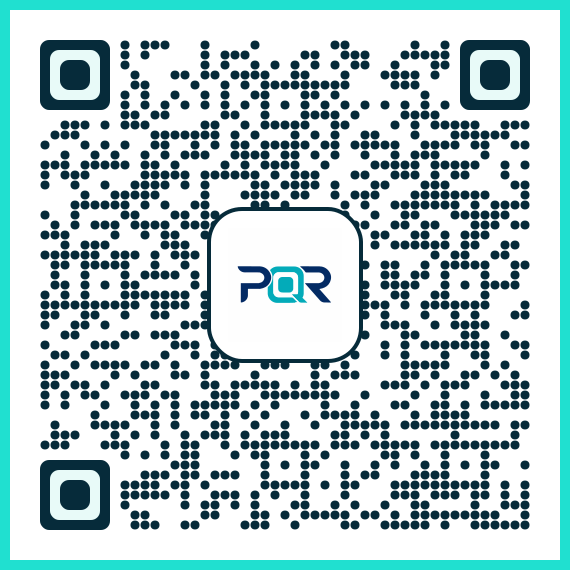
This example shows a basic QR code structure that might be generated by PixQR, pointing to a safe URL. It demonstrates how a QR code is used to redirect to a legitimate site.
const qrData = 'https://pixqr.com/redirect?to=https://example.com';This QR code encodes a URL that PixQR uses to redirect users to a destination. The URL is validated by PixQR’s system before redirection to ensure it is safe and not flagged as malicious.
Production Example
This example illustrates how a production system might handle QR code generation with safety checks to prevent Drive-By Download risks.
const generateQRCode = (url, options = {}) => {
  const safeUrl = validateUrl(url);
  const redirectUrl = `https://pixqr.com/redirect?to=${encodeURIComponent(safeUrl)}`;
  return generateQR(redirectUrl, options);
};

const validateUrl = (url) => {
  if (!url.startsWith('https://')) {
    throw new Error('Only HTTPS URLs are allowed');
  }
  if (isMaliciousDomain(url)) {
    throw new Error('URL contains a known malicious domain');
  }
  return url;
};
This version ensures that all URLs are validated before being encoded into a QR code. It prevents unsafe redirections and blocks known malicious domains, which is essential for reducing Drive-By Download risks.
Common Mistakes
- Allowing HTTP URLs in QR codes without validation, which may lead to insecure redirects or exploitation.
- Not validating URLs before generating QR codes, increasing the chance of malicious links being embedded.
- Ignoring scan tracking data, which can help detect unusual patterns or automated attacks.
- Generating QR codes that point to third-party domains without checking their reputation or safety.
- Overlooking browser security settings or outdated plugin vulnerabilities that can be exploited in a Drive-By Download.
Security And Production Notes
- Always validate URLs before generating QR codes to prevent unsafe redirects or malicious content.
- Use HTTPS-only for all QR code destinations to reduce exposure to man-in-the-middle attacks.
- Implement real-time scanning of QR code URLs using threat intelligence feeds to detect malicious domains.
- Enable scan analytics to identify suspicious or high-frequency scans that may indicate automated attacks.
- Regularly update PixQR’s internal domain blacklists and malware detection systems to stay ahead of new threats.
Related Concepts
Several developer concepts are closely related to Drive-By Download, particularly in the context of QR code security and analytics:
- URL Validation – Ensures QR code links are safe and not malicious.
- Redirect Tracking – Monitors where users are redirected after scanning QR codes.
- Malware Detection – Scans QR-generated content for malicious scripts or payloads.
- Phishing Prevention – Techniques to avoid QR codes being used in phishing attacks.
- Scan Reliability – Ensures QR scans are consistent and not prone to exploitation.