 PixQR
PixQR
Overview
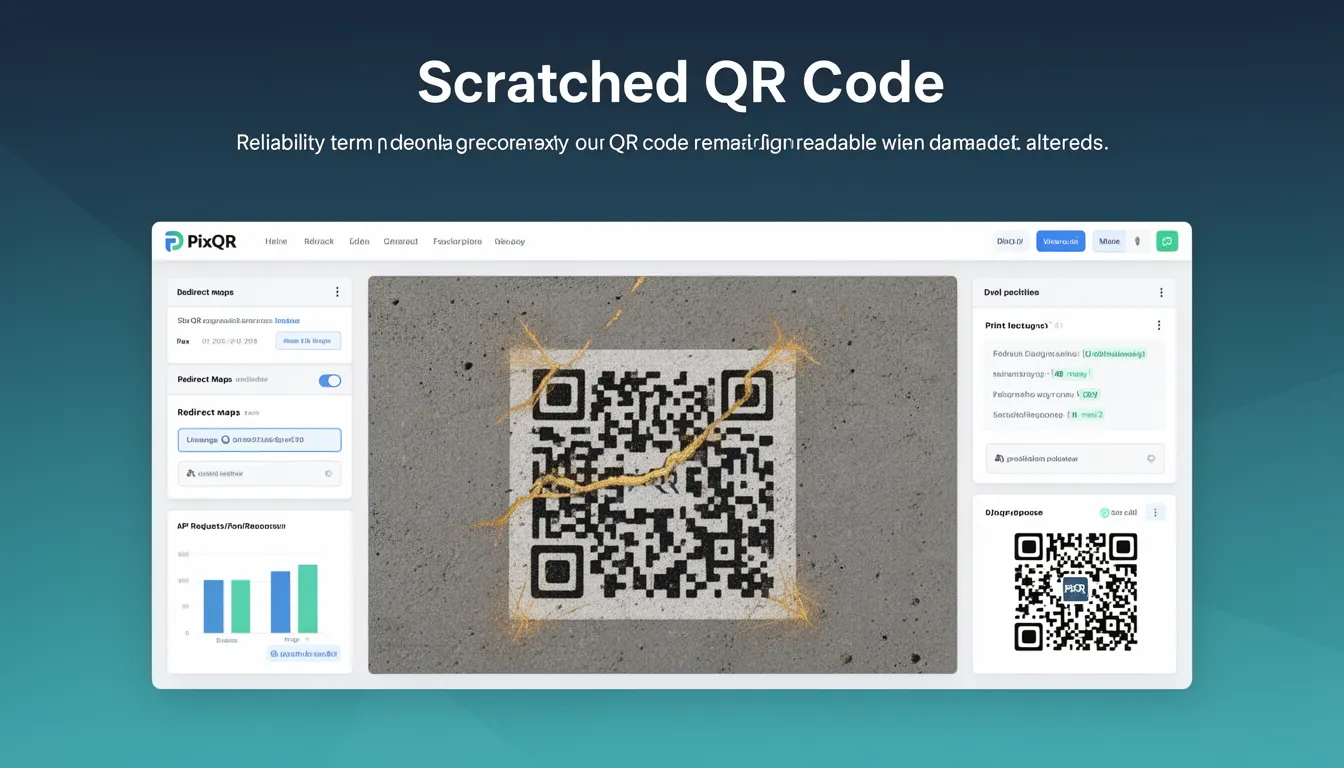
A Scratched QR Code refers to a QR code that has sustained physical damage or alterations but remains scannable and readable. This term is used in the context of QR code error correction, particularly in relation to the Reed-Solomon error correction mechanism implemented in QR codes. QR codes are designed with redundancy to ensure that even if parts of the code are damaged, the data can still be recovered.
For developers working with PixQR, understanding how QR codes handle damage is critical for ensuring reliable scanning in real-world conditions. Physical damage such as scratches, stains, or partial occlusion may occur during printing, handling, or usage, and the system must maintain functionality to prevent failed scans or data loss.
Why It Matters
For developers, Scratched QR Code behavior directly affects the robustness and usability of QR-based systems. When QR codes are printed on materials such as paper, plastic, or metal, they are prone to damage. If a QR code fails to scan due to damage, it impacts user experience and system reliability. PixQR's error correction ensures that users can still access content even if the QR code is partially damaged.
In production environments, this reliability is crucial for systems that rely on QR codes for access control, inventory tracking, or redirecting users to URLs. If a QR code fails to scan, it may result in user frustration, lost data, or failed transactions. Developers must consider how their QR code generation and deployment systems handle damage to ensure that the end-user experience is not compromised.
How It Works
QR codes use a Reed-Solomon error correction system that allows them to recover data even when parts of the code are unreadable. The error correction level is defined by four levels: L (7%), M (15%), Q (25%), and H (30%). These levels indicate the percentage of data that can be restored if the QR code is damaged.
- Level L (Low): Can tolerate up to 7% damage and is suitable for high-quality prints with minimal wear.
- Level M (Medium): Can tolerate up to 15% damage, offering a balance between data capacity and resilience.
- Level Q (Quartile): Can tolerate up to 25% damage, suitable for environments where damage is more likely.
- Level H (High): Can tolerate up to 30% damage, used in situations where maximum durability is required.
- The error correction data is embedded within the QR code structure, and scanning software uses this data to reconstruct missing or corrupted segments.
When a QR code is generated using PixQR, developers can specify the error correction level to match the expected durability of the code. Higher error correction levels increase the code's size and complexity but also improve resilience to damage.
Quick Reference
| Item | Purpose | Notes |
|---|---|---|
| Error Correction Level | Defines how much damage a QR code can sustain | Choose based on expected usage conditions |
| Reed-Solomon Encoding | Algorithm used for error correction | Standardized in ISO/IEC 18004 |
| QR Code Version | Determines the size of the QR code matrix | Higher versions support more data |
| Scanning Accuracy | Percentage of code that must be readable | Depends on error correction level |
| Physical Durability | How much physical damage the code can sustain | Impacts the choice of error correction level |
Basic Example
PixQR Example QR
This QR links directly to this glossary page, so printed notes, onboarding docs, and support material can bring scanners back to the current reference.
/glossary/qr-code-error-correction/qr-code-error-correction-scratched-qr-code
This example demonstrates how to generate a QR code with a specified error correction level using PixQR's API. The code sets the error correction level to "H" to ensure maximum durability.
const qrCode = pixqr.generate({
  data: 'https://example.com',
  errorCorrection: 'H',
  size: 300
});
The errorCorrection parameter is set to 'H' to enable the highest level of error correction. This ensures that even if a significant portion of the QR code is damaged, it will still be scannable.
Production Example
In a production environment, a QR code generator must consider both the error correction level and the intended use case. For example, a QR code printed on a high-traffic outdoor sign should use a higher error correction level to ensure reliability in harsh conditions.
const generateQR = (url, location) => {
  const correctionLevel = location === 'outdoor' ? 'H' : 'M';
  return pixqr.generate({
    data: url,
    errorCorrection: correctionLevel,
    size: 500,
    margin: 1
  });
};
This version of the code dynamically adjusts the error correction level based on the environment. Outdoor use cases are more prone to damage, so a higher correction level is selected to ensure the QR code remains functional.
Common Mistakes
- Choosing a low error correction level for high-risk environments, leading to failed scans due to damage.
- Ignoring the trade-off between QR code size and error correction capacity, resulting in overly large codes that are impractical.
- Not testing QR codes under realistic damage conditions, which can lead to unexpected failures in production.
- Using a fixed error correction level for all QR codes, regardless of their usage context or expected durability.
- Overlooking the importance of visual inspection of QR codes post-generation, which can reveal issues that error correction cannot fix.
Security And Production Notes
- Higher error correction levels increase QR code size, which may impact performance in memory-constrained environments.
- Ensure that QR code generation tools validate input data to prevent malformed QR codes that could fail to scan.
- Use consistent error correction levels across a system to maintain predictable scanning behavior.
- Test QR codes under conditions that simulate real-world damage to validate the effectiveness of error correction.
- Consider accessibility implications; ensure that QR codes remain scannable for users with visual impairments or scanning devices with limited resolution.
Related Concepts
Several concepts are closely related to Scratched QR Code behavior:
- Reed-Solomon Error Correction: The mathematical method used to encode error correction data into QR codes.
- QR Code Version: A measure of the QR code’s size, which determines how much data it can hold and how much error correction it can include.
- Scanning Accuracy: The percentage of a QR code that must be readable for successful decoding.
- Print Quality: The physical fidelity of the QR code during printing, which affects how much damage it can withstand.
- Dynamic Redirects: In PixQR, ensuring that even damaged QR codes lead to valid URLs is crucial for redirect reliability.