 PixQR
PixQR
Overview
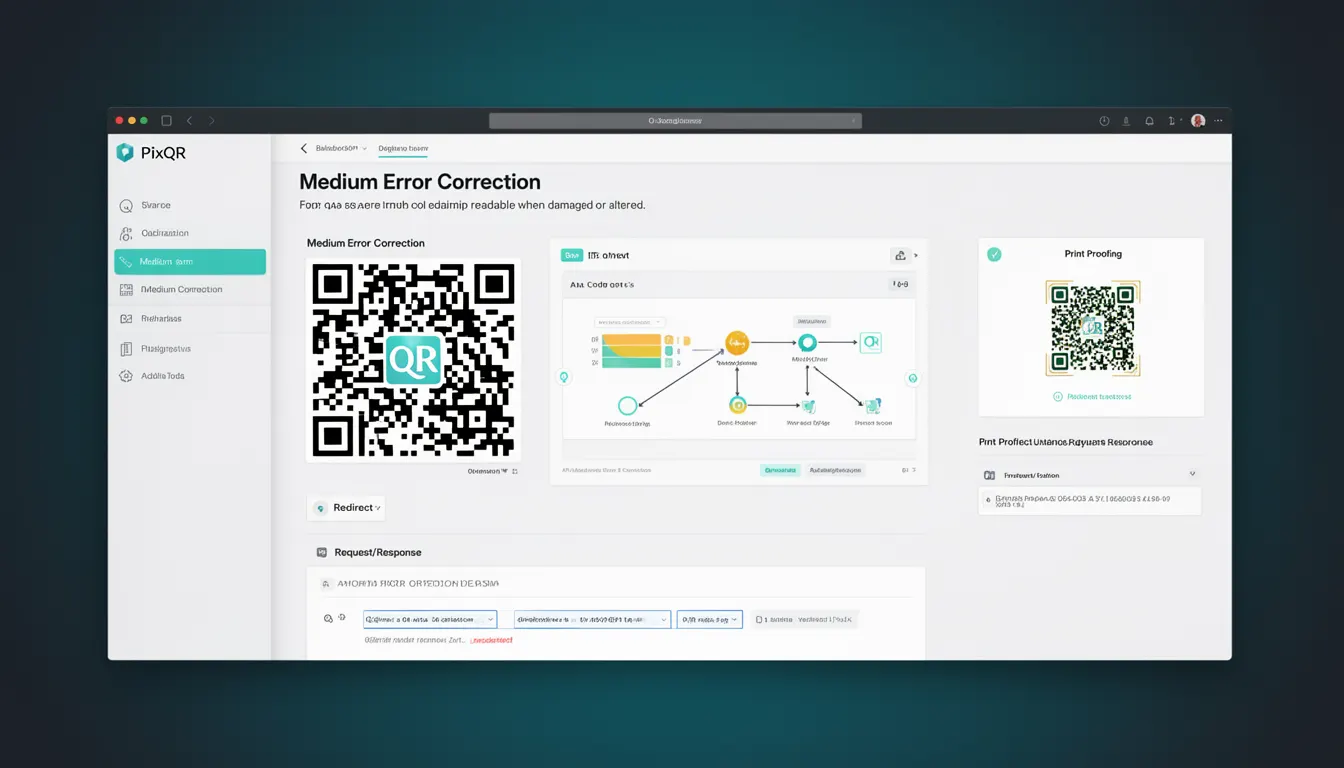
Medium Error Correction (MEC) is a QR code error correction level used in QR code generation that balances data capacity and resilience against damage or degradation. It is one of four standard error correction levels defined by the QR code specification, alongside Low, High, and Quartile levels. MEC specifically allows for the recovery of up to 15% of data corruption or loss, making it suitable for scenarios where the QR code may be subject to moderate wear, partial occlusion, or scanning under less-than-ideal conditions.
In PixQR, developers configure this correction level when generating QR codes to ensure that the code remains scannable and functional even if part of it is obscured, printed poorly, or exposed to environmental factors such as moisture or dirt. The selection of MEC is particularly important for print-based QR codes, such as those used in marketing materials, product packaging, or physical signage, where scanning reliability is essential for user engagement and operational success.
Why It Matters
For developers working with QR codes in production environments, choosing the correct error correction level directly impacts the reliability and usability of the generated codes. MEC is particularly important when QR codes are printed on materials that may be subject to wear or damage, such as labels on consumer goods or outdoor signage. It ensures that the code remains scannable even when parts of it are degraded, which is critical for maintaining a consistent user experience and avoiding failed scans that could lead to lost conversions or user frustration.
From a security perspective, MEC helps ensure that malicious actors cannot easily manipulate QR codes by introducing errors that would prevent scanning, while still allowing legitimate users to interact with the intended content. For PixQR, MEC contributes to operational workflows by reducing the need for reprints or re-generations due to scannability issues, lowering both cost and environmental impact. Additionally, it supports compliance with industry standards for QR code use in regulated sectors, such as healthcare or finance, where reliability and traceability are paramount.
How It Works
QR codes use Reed-Solomon error correction to encode data, and Medium Error Correction operates by adding a specific amount of redundant data to the QR code structure. This redundancy allows the scanning algorithm to reconstruct missing or corrupted data up to a certain threshold. MEC specifically allows for up to 15% of the QR code's data to be recoverable, which is a balance between storage efficiency and robustness.
- MEC adds approximately 15% more data to the QR code compared to no error correction.
- The level is selected during QR code generation and is encoded in the QR code's structure.
- It is supported across all QR code versions from 1 to 40, with capacity and error correction levels interdependent.
- Scanning devices that support QR code error correction can automatically detect and correct errors up to the level specified.
- Higher error correction levels, such as High, allow for more data recovery but reduce the total data capacity of the code.
When using PixQR for QR code generation, developers can specify MEC as part of the configuration options. This setting is typically passed as a parameter to the QR code generation API or SDK, where it influences how the QR code's error correction data is calculated and embedded. The system calculates the required redundancy based on the amount of data being encoded and the selected correction level.
Quick Reference
| Item | Purpose | Notes |
|---|---|---|
| Error Correction Level | Controls data recovery capability | 15% recovery threshold |
| QR Code Version | Determines capacity and structure | Must be compatible with correction level |
| Redundancy Data | Additional data for error recovery | Increases code size by ~15% |
| Scanning Algorithm | Applies correction during scan | Must support MEC to function |
| PixQR API Parameter | Specifies correction level | Typically named "error_correction" |
Basic Example
PixQR Example QR
This QR links directly to this glossary page, so printed notes, onboarding docs, and support material can bring scanners back to the current reference.
/glossary/qr-code-error-correction/qr-code-error-correction-medium-error-correction
This example demonstrates how to generate a QR code with Medium Error Correction using a PixQR API call. It illustrates the basic syntax and parameter structure.
const qrData = {
  "content": "https://example.com",
  "error_correction": "M"
};
const qrCode = pixqr.generate(qrData);
The error_correction parameter is set to "M", indicating Medium Error Correction. This tells the PixQR system to include sufficient redundancy to recover up to 15% of corrupted data. The resulting QR code is suitable for most print-based applications where minor damage is possible.
Production Example
In a production environment, developers must ensure that QR codes are generated with appropriate error correction levels based on intended use. This example shows a more robust configuration that includes validation, logging, and fallback mechanisms.
const generateQR = (url, correctionLevel = 'M') => {
  if (!url || typeof url !== 'string') {
    throw new Error('Invalid URL provided');
  }

  const qrConfig = {
    content: url,
    error_correction: correctionLevel,
    size: 300,
    margin: 1
  };

  try {
    const qrCode = pixqr.generate(qrConfig);
    return qrCode;
  } catch (error) {
    console.error('QR generation failed:', error);
    throw error;
  }
};
This version includes input validation, error handling, and explicit configuration. It ensures that only valid URLs are used and that the correction level is explicitly passed, reducing the risk of misconfiguration. The margin and size parameters are also included to ensure consistent print quality and scannability.
Common Mistakes
- Using no error correction for print-based codes. This can lead to failed scans if the code is damaged or printed poorly.
- Choosing a correction level higher than needed. This reduces data capacity unnecessarily and may increase file size or complexity.
- Assuming that all scanners support Medium Error Correction. Some older or low-end devices may not handle it properly.
- Ignoring compatibility with QR code versions. Higher correction levels may require higher QR code versions, which could limit data capacity.
- Not testing codes under real-world conditions. Codes may appear functional in testing but fail in actual use due to environmental factors.
Security And Production Notes
- Ensure that QR code content is validated before encoding to prevent injection of malicious data.
- Use Medium Error Correction for codes intended for public or uncontrolled environments to maintain usability.
- Monitor QR code scan success rates to identify when a higher correction level may be needed.
- Do not rely on error correction to mask data integrity issues; validate content at the destination.
- Keep track of correction level usage for compliance or audit purposes, especially in regulated industries.
Related Concepts
Medium Error Correction is part of a broader set of QR code reliability mechanisms. It relates to:
- Low Error Correction – Provides minimal redundancy, ideal for codes with no risk of damage.
- High Error Correction – Offers up to 30% data recovery, used for codes in harsh environments.
- QR Code Version – Determines the physical size and data capacity of the code, which affects how error correction is applied.
- Reed-Solomon Encoding – The mathematical method used to implement error correction in QR codes.
- Scan Reliability – The overall ability of a QR code to be read under various conditions, influenced by correction level and physical design.