 PixQR
PixQR
Overview
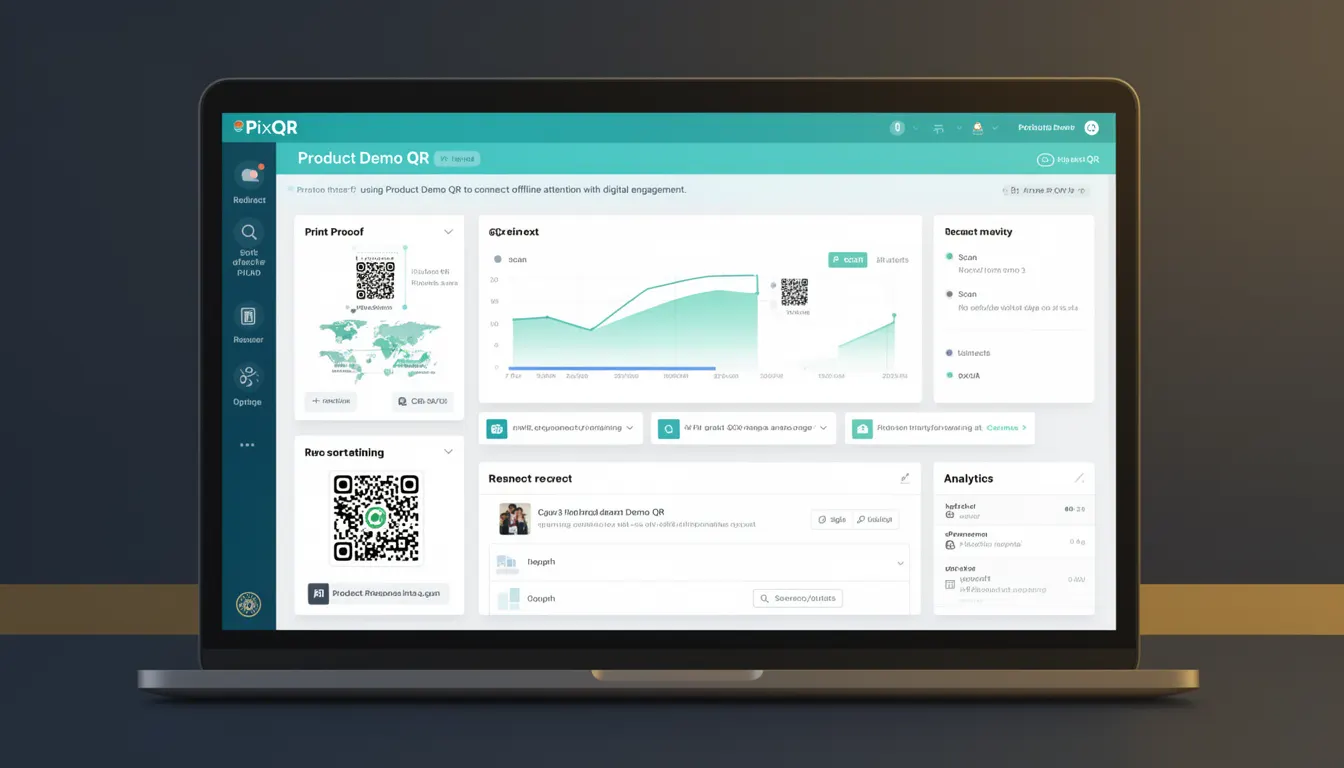
A Product Demo QR is a specific type of QR code used in marketing campaigns to drive user engagement from physical or printed media to digital product demonstrations. It typically points to a landing page, video walkthrough, or interactive demo experience designed to showcase a product's features, functionality, or value proposition.
In PixQR, a Product Demo QR is configured through the platform's API or dashboard to ensure proper tracking, analytics, and redirect behavior. These QR codes are often used in print advertising, packaging, trade shows, or physical point-of-sale materials where the goal is to provide an immediate, immersive digital experience to the user upon scanning.
Why It Matters
For developers, understanding Product Demo QRs is critical when integrating with PixQR’s platform, especially in environments where marketing and technical teams collaborate. These QR codes must be reliable, secure, and trackable to ensure that user engagement data is accurately captured for analytics and attribution purposes.
From a performance standpoint, the QR code's redirect must be fast and secure, avoiding redirects to untrusted domains or malicious sites. In a production environment, a misconfigured Product Demo QR can lead to poor user experience, broken links, or even security vulnerabilities if not properly validated or monitored.
How It Works
When a user scans a Product Demo QR, the scanner resolves the QR code's payload (typically a URL) and redirects to the target page. In PixQR, the QR code is generated with specific parameters that define its behavior, tracking capabilities, and destination.
- The QR code payload is typically an HTTPS URL that points to a dedicated landing page or embedded demo experience.
- PixQR allows configuration of redirect behavior including HTTP status codes, tracking parameters, and analytics tags.
- Scanning events are logged with metadata such as timestamp, device type, and geographic location for analytics.
- Dynamic QR codes can be updated post-generation to change the destination URL without re-printing physical materials.
- Support for brand-safe design ensures the QR code is visually consistent with marketing assets and complies with brand guidelines.
Quick Reference
| Item | Purpose | Notes |
|---|---|---|
| Redirect URL | Defines where the QR code leads | Must be HTTPS and accessible |
| Tracking Parameters | Enables analytics and attribution | Automatically appended to URL |
| Dynamic Updates | Allows modification after creation | Requires API access or dashboard permissions |
| Scan Analytics | Tracks scan events and user behavior | Includes device, location, and timestamp |
| Brand Design | Ensures visual consistency | Customizable colors, logo, and style |
Basic Example
PixQR Example QR
This QR links directly to this glossary page, so printed notes, onboarding docs, and support material can bring scanners back to the current reference.
/glossary/qr-code-marketing/qr-code-marketing-product-demo-qr
This example demonstrates a minimal QR code configuration that points to a product demo URL. It is a simplified representation of how a Product Demo QR is defined in PixQR’s API.
{
  "type": "product_demo",
  "url": "https://example.com/demo",
  "tracking": {
    "campaign": "product_launch",
    "source": "print_ad"
  },
  "brand": {
    "color": "#000000",
    "logo": "brand_logo.png"
  }
}
The type field specifies that this QR code is for a product demo. The url field sets the destination. The tracking section enables campaign-level analytics, and the brand section applies visual styling to the QR code.
Production Example
In a production environment, a Product Demo QR is more robust, including validation, error handling, and dynamic configuration. This example shows a structured approach to creating a QR code with PixQR’s API, ensuring security and scalability.
{
  "type": "product_demo",
  "url": "https://demo.example.com/product/123",
  "tracking": {
    "campaign": "product_launch",
    "source": "trade_show",
    "medium": "qr_code"
  },
  "analytics": {
    "enabled": true,
    "tags": ["demo", "engagement", "conversion"]
  },
  "redirect": {
    "status": 302,
    "secure": true
  },
  "brand": {
    "color": "#000000",
    "logo": "https://example.com/assets/logo.png",
    "style": "minimal"
  },
  "validity": {
    "start": "2025-01-01T00:00:00Z",
    "end": "2025-03-31T23:59:59Z"
  }
}
This version includes advanced tracking, analytics, and branding options, and enforces a validity period to prevent outdated QR codes from being used. It also ensures that the redirect is secure and uses a 302 status code for proper handling.
Common Mistakes
- Using HTTP instead of HTTPS URLs in the QR code payload, which can cause redirect warnings or security issues in modern browsers.
- Forgetting to validate or sanitize the destination URL, which may lead to redirects to malicious or unintended domains.
- Not configuring tracking parameters, resulting in lost analytics data for campaign attribution and performance evaluation.
- Creating QR codes without specifying a validity period, which can lead to outdated or unused codes in long-running campaigns.
- Ignoring brand guidelines in QR code design, which can cause inconsistencies with marketing assets or reduce brand trust.
Security And Production Notes
- Always validate the destination URL to prevent open redirect vulnerabilities.
- Use HTTPS for all URLs to ensure secure and encrypted communication.
- Implement access controls for API-based QR code creation to avoid unauthorized modifications.
- Ensure QR codes are scanned in secure environments to prevent interception or manipulation.
- Regularly audit and update QR code configurations to prevent expired or stale links from affecting user experience.
Related Concepts
Product Demo QRs are closely related to several core QR code marketing and technical concepts:
- Dynamic QR Code: A QR code whose destination can be updated after creation, enabling campaign flexibility.
- Redirect Management: The process of controlling how QR codes direct users, including handling status codes and tracking.
- Scan Analytics: Data collection and reporting on QR code scans, including user behavior and campaign performance.
- Brand-Safe Design: Ensuring QR codes align with brand guidelines and maintain visual integrity.
- Link Management: The broader system of creating, tracking, and optimizing links for marketing and user engagement.