 PixQR
PixQR
Overview
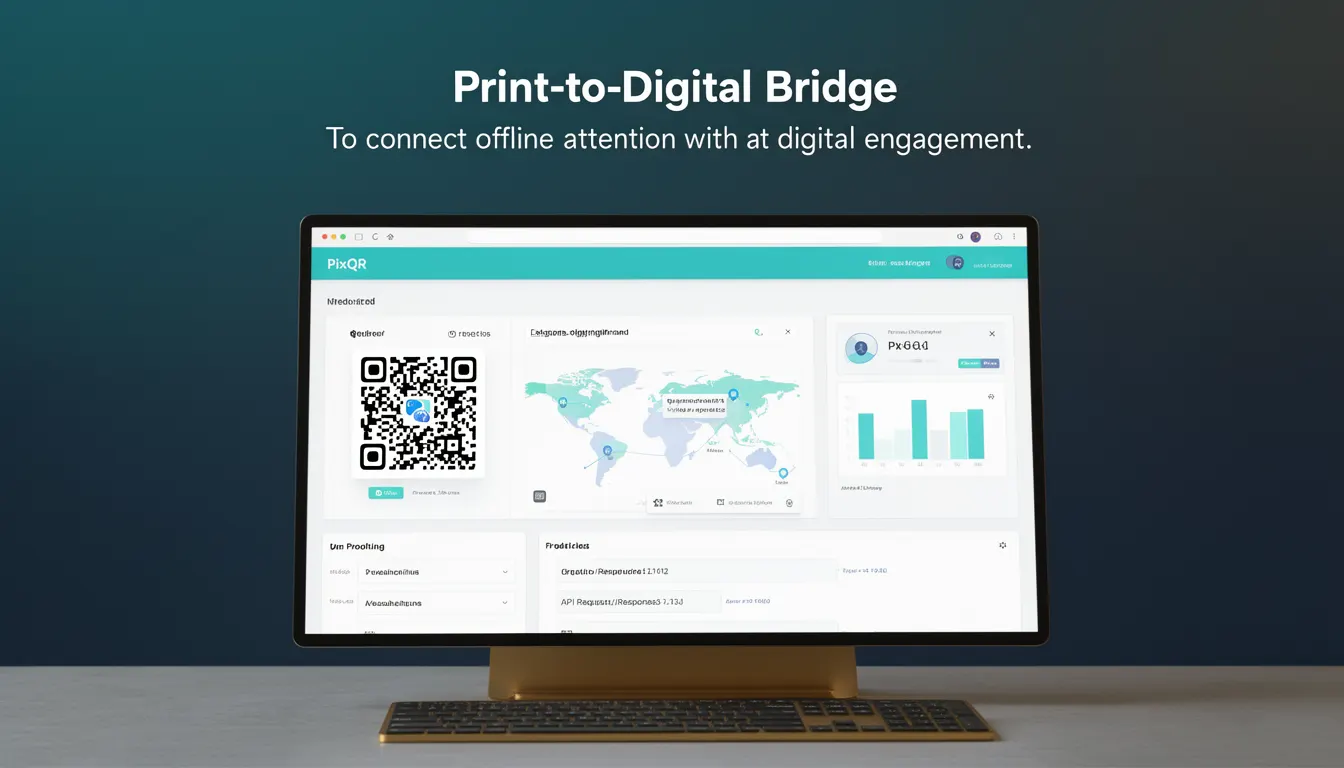
The term Print-to-Digital Bridge refers to a marketing and technical strategy that connects offline printed materials with digital engagement via QR codes. In the context of PixQR, this concept is implemented through dynamic QR code generation, which allows a single physical print asset to redirect to different digital destinations based on parameters such as campaign, geography, or time. The bridge enables marketers and developers to track the performance of offline content and attribute digital actions—such as website visits, app downloads, or form submissions—to specific print placements.
For developers working with PixQR, the Print-to-Digital Bridge concept is essential when designing systems that manage QR code redirects, track scans, and maintain data integrity across offline and online channels. It is not merely a marketing term but a functional framework that integrates QR code generation, analytics, and dynamic URL routing into a cohesive workflow.
Why It Matters
From a developer’s perspective, the Print-to-Digital Bridge directly impacts how QR code systems are designed and maintained. It affects API integration, data collection, and how redirects are handled in a scalable, secure, and privacy-conscious manner. For instance, PixQR's implementation of this concept allows businesses to manage multiple campaigns from a single QR code by using parameters in the redirect URL, such as ?campaign=summer2024&location=NYC, enabling real-time campaign analytics and dynamic content delivery.
For security, this approach ensures that the QR code itself is not static, reducing the risk of malicious reuse or tampering. It also supports compliance with privacy regulations by enabling granular control over data collection and tracking. For performance, the bridge supports efficient analytics processing and scalable routing, allowing developers to optimize backend systems for high-volume scan events without compromising reliability or user experience.
How It Works
The Print-to-Digital Bridge is enabled through a combination of QR code generation, URL routing, and backend analytics. When a user scans a QR code, the system decodes the URL, which may contain dynamic parameters. These parameters are used to route the user to the correct digital destination or trigger specific analytics events. PixQR supports this by providing:
- Dynamic QR code generation that can encode custom URLs with parameters
- Redirect routing logic that supports URL rewriting and parameter parsing
- Analytics tracking capabilities that associate scan events with campaign, location, or device metadata
- Scan reliability features that ensure consistent behavior across different scanning devices and environments
- Privacy controls that allow selective data collection and compliance with GDPR, CCPA, and similar regulations
The bridge is implemented in the PixQR backend where QR code payloads are constructed dynamically based on user-defined parameters. The QR code itself is generated using standard encoding (such as QR Code Model 2), but the payload URL is built to include tracking parameters. This payload is then rendered into a QR image that can be printed or displayed in any offline medium.
Quick Reference
| Item | Purpose | Notes |
|---|---|---|
| Dynamic QR payload | Encodes campaign and tracking data | Must support URL-safe parameters |
| Redirect routing | Routes scans to correct destination | Supports URL rewriting and parameter parsing |
| Scan analytics | Tracks user engagement | Includes device, location, and timestamp data |
| Privacy controls | Manages data collection | Supports opt-in/opt-out and data retention |
| Scan reliability | Ensures consistent scan behavior | Supports offline scanning environments |
Basic Example
PixQR Example QR
This QR links directly to this glossary page, so printed notes, onboarding docs, and support material can bring scanners back to the current reference.
/glossary/qr-code-marketing/qr-code-marketing-print-to-digital-bridge

This example shows how a basic Print-to-Digital Bridge is implemented using a static QR code payload. It demonstrates how a URL can be structured to carry tracking parameters.
https://pixqr.example.com/redirect?campaign=summer2024&location=NYC&source=printThis URL encodes a campaign name, location, and source. When scanned, the PixQR system parses these parameters to determine how to route the user and what analytics to collect. It is a minimal implementation, suitable for testing or basic use cases.
Production Example
This example shows a more robust implementation of a Print-to-Digital Bridge, including validation, error handling, and parameter management.
const campaign = 'summer2024';
const location = 'NYC';
const source = 'print';
const baseRedirectUrl = 'https://pixqr.example.com/redirect';

const params = new URLSearchParams({
  campaign,
  location,
  source,
  timestamp: Date.now(),
  userAgent: navigator.userAgent,
});

const finalUrl = `${baseRedirectUrl}?${params.toString()}`;

// QR code payload
const qrPayload = finalUrl;

// Render QR code with qrPayload using PixQR SDK
console.log('Generated QR payload:', qrPayload);
This version is production-ready because it includes timestamp tracking, user agent detection, and URL parameter validation. It ensures that the QR code payload is secure, traceable, and compatible with analytics systems.
Common Mistakes
- Using static QR codes that cannot be updated or tracked, leading to unmeasurable campaign performance
- Not validating URL parameters, which can lead to injection attacks or broken redirects
- Ignoring privacy compliance when collecting scan data, resulting in regulatory violations
- Overloading QR code payloads with too many parameters, increasing scan failure rates
- Failing to implement fallback URLs, causing broken user experiences when redirects fail
- Not testing QR code reliability across different scanning environments, leading to inconsistent user experience
Security And Production Notes
- Always validate and sanitize URL parameters to prevent injection attacks or unintended behavior
- Implement secure HTTPS redirects to protect user data during transit
- Use parameterized queries or URL-safe encoding to avoid breaking or misrouting redirects
- Ensure QR code payloads are not too long to maintain scan reliability and avoid QR code distortion
- Enable analytics and tracking only where required, respecting user privacy and data protection laws
Related Concepts
Several concepts are closely related to the Print-to-Digital Bridge:
- Dynamic QR Code Generation – The core technology that enables flexible payloads
- URL Redirect Management – The system that routes scans to appropriate destinations
- Scan Analytics – The process of collecting and interpreting user engagement data
- Privacy-First Tracking – The approach to data collection that ensures compliance and user trust
- Scan Reliability – The ability to maintain consistent performance across scanning environments