 PixQR
PixQR
Overview
A Logo QR Code is a QR code variant that incorporates a brand logo or graphic within the QR code’s structure while maintaining scannability and data integrity. This design approach allows organizations to blend branding elements with functional QR code technology, enhancing visual identity and user experience. In the context of PixQR, a Logo QR Code is generated using a dynamic QR code engine that ensures logo placement does not interfere with the scannability of the code.
Developers working with PixQR often encounter Logo QR Codes when building applications that require brand-consistent QR code outputs for marketing, event management, or product identification. Unlike standard QR codes, Logo QR Codes must balance aesthetic design with technical compliance to ensure reliable scanning across devices and environments.
Why It Matters
For developers, Logo QR Codes are significant because they influence both user experience and technical reliability. When implemented correctly, they reinforce brand identity and encourage user interaction, but poor implementation can lead to scan failures, reduced engagement, or compliance issues. PixQR ensures that Logo QR Codes meet industry standards for scannability, even when logos are embedded in the code's structure.
In production environments, Logo QR Codes can affect analytics accuracy, tracking reliability, and user trust. If a QR code fails to scan due to improper logo integration, it can cause tracking data loss, user frustration, and operational inefficiencies. Proper handling of Logo QR Codes ensures that marketing campaigns and operational workflows continue to function as intended.
How It Works
Logo QR Codes are generated using a combination of QR code encoding algorithms and image composition logic. The process involves placing a logo within the QR code's quiet zone or designated safe areas, ensuring that the logo does not interfere with the code's data structure or scanning performance.
- The QR code engine identifies the safest placement areas for logos, typically within the code's corner modules or quiet zones.
- Logo size and transparency are adjusted to preserve scannability while maintaining visual appeal.
- Color contrast between the logo and the QR code is optimized to prevent visual confusion during scanning.
- Dynamic QR code generation ensures that logo placement is consistent across all output formats and devices.
- Advanced error correction levels are applied to maintain code integrity when logos are included.
Quick Reference
| Item | Purpose | Notes |
|---|---|---|
| Logo placement area | Ensures scannability | Must avoid data modules |
| Logo transparency | Preserves QR code contrast | Should be less than 50% |
| Color contrast | Improves scanning reliability | Must meet minimum contrast ratio |
| Error correction level | Enhances resilience | Use level H or higher |
| Quiet zone | Provides scanning margin | Must be at least 4 modules wide |
Basic Example
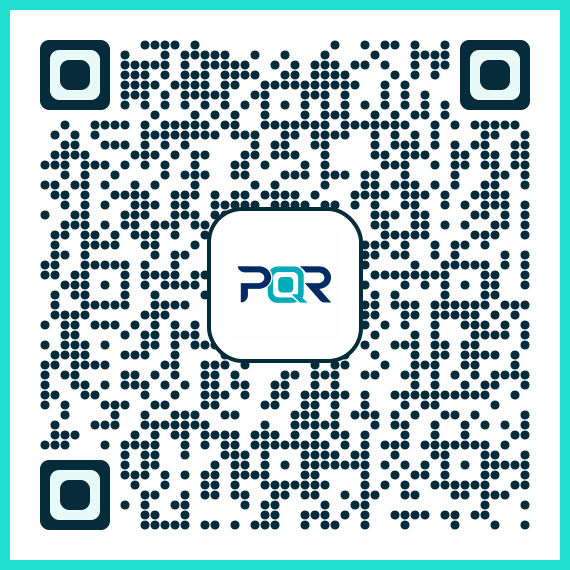
PixQR Example QR
This QR links directly to this glossary page, so printed notes, onboarding docs, and support material can bring scanners back to the current reference.
This example shows how to generate a basic Logo QR Code using PixQR’s API with a simple logo and URL.
const response = await fetch('/api/generate', {
  method: 'POST',
  headers: { 'Content-Type': 'application/json' },
  body: JSON.stringify({
    url: 'https://example.com',
    logo: 'https://example.com/logo.png',
    size: '200x200'
  })
});
The logo parameter specifies the URL of the image to embed, and the size parameter controls the QR code dimensions. The API handles logo positioning and scannability checks automatically.
Production Example
This example demonstrates a production-ready implementation with error handling, logo validation, and dynamic QR code generation.
async function generateLogoQRCode(url, logoUrl, options = {}) {
  try {
    const response = await fetch('/api/generate', {
      method: 'POST',
      headers: { 'Content-Type': 'application/json' },
      body: JSON.stringify({
        url: url,
        logo: logoUrl,
        size: options.size || '300x300',
        correction: options.correction || 'H',
        margin: options.margin || 4
      })
    });

    if (!response.ok) {
      throw new Error('QR code generation failed');
    }

    const data = await response.json();
    return data.qrCodeUrl;
  } catch (error) {
    console.error('Error generating Logo QR Code:', error);
    throw error;
  }
}
This version includes validation for URL formats, error handling, and configurable parameters such as correction level and margin. It ensures consistent output quality and robustness in production environments.
Common Mistakes
- Placing logos in data modules, which causes scanning failures.
- Using overly large or opaque logos that reduce contrast and readability.
- Ignoring error correction levels, leading to unreliable scans.
- Not validating logo image formats or sizes before QR code generation.
- Assuming all QR code scanners will handle logos the same way, ignoring device-specific behavior.
Security And Production Notes
- Validate all logo URLs to prevent malicious image injection.
- Use HTTPS for logo images to ensure secure loading and prevent mixed content errors.
- Implement size limits for logos to prevent memory or performance issues.
- Ensure QR code generation includes error correction to maintain scan reliability.
- Test logo placement across multiple devices and scanning apps to verify compatibility.
Related Concepts
Several developer concepts are closely related to Logo QR Codes. QR Code Encoding defines how data is structured within a QR code. Dynamic QR Codes allow for URL redirection and tracking. Scan Reliability ensures consistent performance across platforms. Brand-Safe Design ensures that visual elements do not interfere with functionality. Privacy and Analytics Integration ensure that QR code tracking remains compliant and secure.