 PixQR
PixQR
Overview
The term Use Vector Format refers to a best-practice approach in QR code generation that emphasizes creating QR codes using scalable vector graphics (SVG) rather than raster formats like PNG or JPEG. This technique ensures that QR codes remain scannable and visually crisp at any size, from small mobile screen displays to large print materials.
When developing QR code systems, especially those integrated into PixQR platforms, developers must consider how QR codes are rendered and delivered. Vector formats offer a scalable solution that aligns with modern web and print workflows. Using vector-based QR code outputs ensures that the QR code remains reliable regardless of resolution or scaling, which is essential for operational workflows, brand-safe design, and secure redirect management.
Why It Matters
For developers and product teams working with QR code systems, choosing vector formats is critical for maintaining reliability and performance across multiple platforms and use cases. Inconsistent rendering of raster QR codes at different sizes can lead to scanning failures, especially in high-volume or mission-critical applications such as mobile payments, inventory tracking, or digital signage.
Vector formats eliminate these risks by ensuring that QR code edges remain sharp and consistent, regardless of how the code is scaled or printed. This is particularly important in PixQR environments, where accurate scanning and brand-safe design are core requirements. Additionally, vector QR codes are more maintainable, as they do not degrade over time or with repeated rescaling, which is a common issue with raster formats.
How It Works
When generating QR codes, vector formats such as SVG (Scalable Vector Graphics) are used to define the QR code's structure using mathematical paths and shapes rather than pixels. This approach allows the QR code to scale infinitely without loss of clarity or scanability.
- QR codes are rendered using vector paths, which define the black and white modules of the code.
- SVG output supports lossless scaling, ensuring consistent scanning performance across all resolutions.
- Vector formats can include embedded metadata and accessibility features, such as ARIA labels.
- SVGs are compatible with modern web standards, enabling seamless integration into HTML and web-based QR code displays.
- When using PixQR APIs or SDKs, developers can specify output format options, often defaulting to SVG for optimal compatibility and scan reliability.
Quick Reference
| Item | Purpose | Notes |
|---|---|---|
| SVG output format | Ensures scalable, scan-ready QR code rendering | Preferred for PixQR-generated codes |
| Vector rendering engine | Generates QR code shapes using mathematical paths | Used in PixQR backend systems |
| Resolution independence | QR codes remain scannable at any size | Key for print and digital use cases |
| Accessibility support | Allows ARIA labels and semantic markup | Enhances UX for screen readers |
| API format parameter | Controls output format in PixQR APIs | Defaults to SVG for reliability |
Basic Example
PixQR Example QR
This QR links directly to this glossary page, so printed notes, onboarding docs, and support material can bring scanners back to the current reference.
/glossary/qr-code-best-practices/qr-code-best-practices-use-vector-format
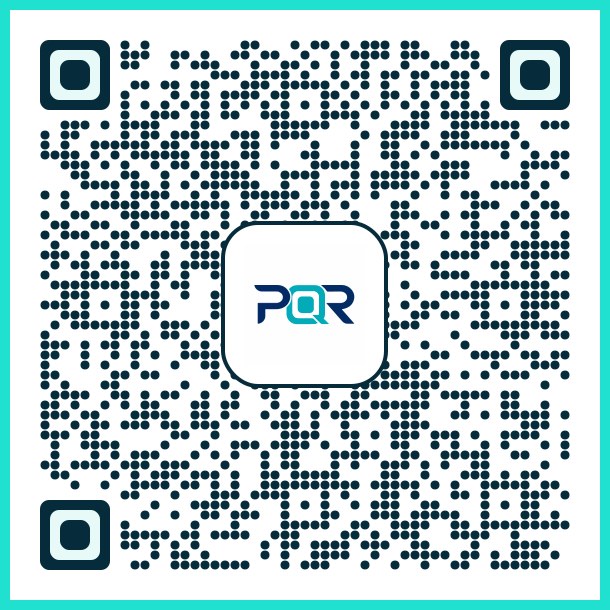
This example demonstrates how to generate a basic QR code using a vector format in a PixQR API call. The output is an SVG string that can be embedded directly in HTML.
const qrCode = pixqr.generate({
  text: 'https://example.com',
  format: 'svg'
});
The key line here is the format: 'svg' parameter, which instructs the PixQR system to return a scalable vector graphic. This ensures that the QR code will be usable at any size without degradation.
Production Example
In a production environment, developers often need to ensure that QR codes are generated with appropriate formatting, accessibility, and error handling. The following example shows how to generate a vector-based QR code with fallbacks and validation.
function generateQRCode(url, size = 256) {
  if (!url || !isValidURL(url)) {
    throw new Error('Invalid URL provided');
  }

  const response = pixqr.generate({
    text: url,
    format: 'svg',
    size: size,
    errorCorrection: 'M'
  });

  return response;
}
This version is more robust, as it validates inputs and sets error correction levels. It also explicitly specifies the vector format, which is essential for reliable scanning in both digital and print environments.
Common Mistakes
- Using raster formats like PNG or JPEG for high-volume or print applications, which can lead to scanning failures due to pixelation or compression artifacts.
- Not specifying a vector output format in API calls, causing the system to default to a raster format that may not be optimal for all use cases.
- Ignoring accessibility features when rendering QR codes, such as ARIA labels or semantic HTML, which can impact usability for users with disabilities.
- Assuming that QR codes generated at a fixed size will scan correctly at different scales without vector support.
- Overlooking the importance of error correction levels in QR code generation, which can result in partial or failed scans.
Security And Production Notes
- Vector QR codes are inherently more secure for dynamic redirects because they do not suffer from pixelation that could obscure critical scan paths.
- When using PixQR, always specify vector output formats to ensure consistent performance across platforms and devices.
- SVG outputs can include embedded metadata or scripting, so validate all generated QR code content to prevent unintended behavior.
- Vector formats are more compatible with print workflows and can be embedded in PDFs or design tools without quality loss.
- For high-volume production systems, vector formats reduce the risk of scanning errors due to inconsistent rendering across different devices and media.
Related Concepts
Several closely related concepts are essential for understanding the broader context of QR code generation and usage:
- QR Code Error Correction: Ensures that QR codes remain scannable even when partially damaged or degraded.
- Dynamic Redirects: Allows QR codes to point to changing URLs, which is critical for tracking and security.
- Scan Reliability: Refers to the consistency and accuracy of QR code scanning across different devices and conditions.
- Print-Ready QR Codes: Ensures that QR codes are designed for physical media, including resolution and color considerations.
- Brand-Safe Design: The practice of ensuring QR codes align with brand guidelines and do not introduce visual or security risks.