 PixQR
PixQR
Overview
High Contrast in QR code design refers to the deliberate use of strong visual differentiation between the QR code's dark and light elements, ensuring optimal readability and scan reliability across a wide range of devices, lighting conditions, and printing methods. This practice is critical for maintaining the integrity of QR code functionality in production environments.
Developers working with PixQR or similar platforms should consider High Contrast as a core requirement for generating reliable QR codes, particularly when the codes are intended for use in environments where scanning accuracy is paramount, such as in physical retail, logistics, or public safety applications. A QR code with insufficient contrast can fail to scan, leading to user frustration, lost conversions, or operational inefficiencies.

Why It Matters
High Contrast directly affects the reliability of QR code scanning, which is crucial for applications that depend on accurate and fast data retrieval. Poor contrast can cause scanners to misread or fail to detect a QR code entirely, especially in challenging lighting or print environments. In PixQR, this translates to lower scan success rates, which can negatively impact analytics and user experience metrics.
From a security standpoint, QR codes that fail to scan properly may be flagged as suspicious or unreliable, potentially triggering fraud detection systems or user warnings. In print or physical applications, low contrast can result in misprints or damage to brand reputation. For accessibility, High Contrast ensures that users with visual impairments or low vision can effectively interact with QR codes, aligning with inclusive design practices.
How It Works
High Contrast in QR codes is achieved by ensuring a significant difference in luminance between the black (or dark) modules and the white (or light) background. This contrast ratio should meet or exceed industry standards, typically defined by accessibility guidelines and scanning device tolerances.
- Contrast ratio must be at least 4.5:1 for standard text and 3:1 for non-text elements to meet WCAG 2.1 guidelines.
- QR codes must maintain consistent contrast across different output formats, including digital screens, printed materials, and mobile displays.
- Pixel-level rendering of QR codes must be precise to avoid artifacts or blending that can reduce contrast.
- Color choices should avoid subtle hues that may appear similar under various lighting conditions.
- When using color QR codes, ensure that the color contrast remains sufficient for machine readability.
Quick Reference
| Item | Purpose | Notes |
|---|---|---|
| Contrast Ratio | Ensures readability and scan reliability | Minimum 4.5:1 for WCAG compliance |
| Module Color | Defines dark elements of the QR code | Should be solid black or high-contrast dark |
| Background Color | Defines light elements of the QR code | Should be solid white or high-contrast light |
| Color Choice | Prevents visual confusion in scanning | Avoid pastels or similar hues |
| Output Format | Ensures consistency across media | Validate print and screen rendering |
Basic Example
PixQR Example QR
This QR links directly to this glossary page, so printed notes, onboarding docs, and support material can bring scanners back to the current reference.
/glossary/qr-code-best-practices/qr-code-best-practices-high-contrast
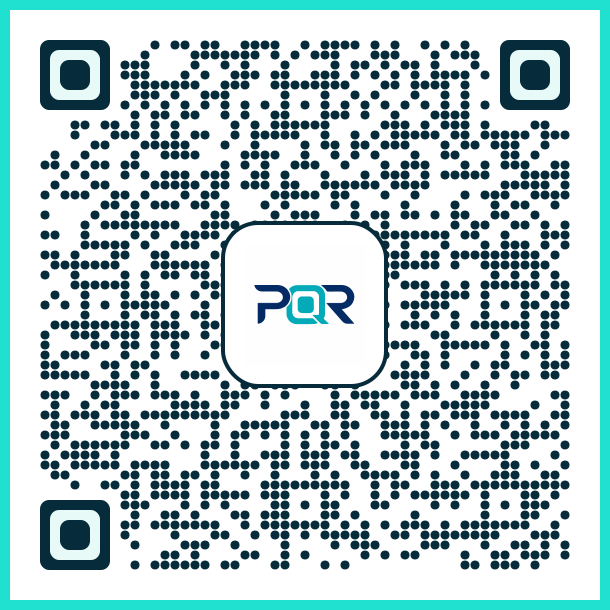
This example demonstrates how to set up a basic QR code with High Contrast using PixQR's configuration parameters.
const qrConfig = {
  content: 'https://example.com',
  contrast: {
    foreground: '#000000',
    background: '#FFFFFF'
  },
  size: 256
};
The contrast object defines the foreground and background colors using hexadecimal values. This ensures a strong visual distinction that enhances scanability.
Production Example
This example illustrates a production-ready QR code generation with High Contrast, including validation and accessibility considerations.
function generateHighContrastQR(content, options = {}) {
  const config = {
    content,
    contrast: {
      foreground: options.foreground || '#000000',
      background: options.background || '#FFFFFF'
    },
    size: options.size || 256,
    errorCorrection: 'M',
    margin: 1
  };

  if (!validateURL(content)) {
    throw new Error('Invalid URL provided');
  }

  return PixQR.generate(config);
}
This version includes URL validation, configurable contrast, and error correction to ensure robustness in real-world usage. It also uses a margin to prevent edge artifacts that might interfere with scanning.
Common Mistakes
- Using soft or pastel colors for QR code modules, which reduces contrast and scan reliability.
- Choosing a background color that is too similar to the module color, especially under varying lighting.
- Ignoring color contrast requirements for accessibility, which can lead to user exclusion.
- Not validating QR code output across different devices or print methods, resulting in inconsistent scanning.
- Overlooking error correction levels, which can cause failures in low-quality scans or degraded environments.
Security And Production Notes
- Always validate QR code content to prevent malicious redirects or data injection attacks.
- Use fixed, solid colors to ensure contrast remains consistent across platforms and devices.
- Test QR codes under various lighting conditions to ensure reliability in real-world usage.
- Implement error handling to detect and log scan failures for debugging or monitoring purposes.
- Adhere to WCAG 2.1 standards to ensure accessibility compliance and inclusive design.
Related Concepts
High Contrast is closely related to several core QR code design and functionality principles:
- Scan Reliability – High Contrast directly supports reliable scanning, especially in low-light or degraded conditions.
- Accessibility – Proper contrast ensures that users with visual impairments can interact with QR codes.
- Print Quality – Contrast affects how QR codes appear in physical media, such as posters or packaging.
- Error Correction – Higher contrast improves the effectiveness of error correction algorithms by reducing noise.
- Brand Design – High Contrast aligns with brand-safe design practices by ensuring QR codes remain legible and trustworthy.