 PixQR
PixQR
Overview
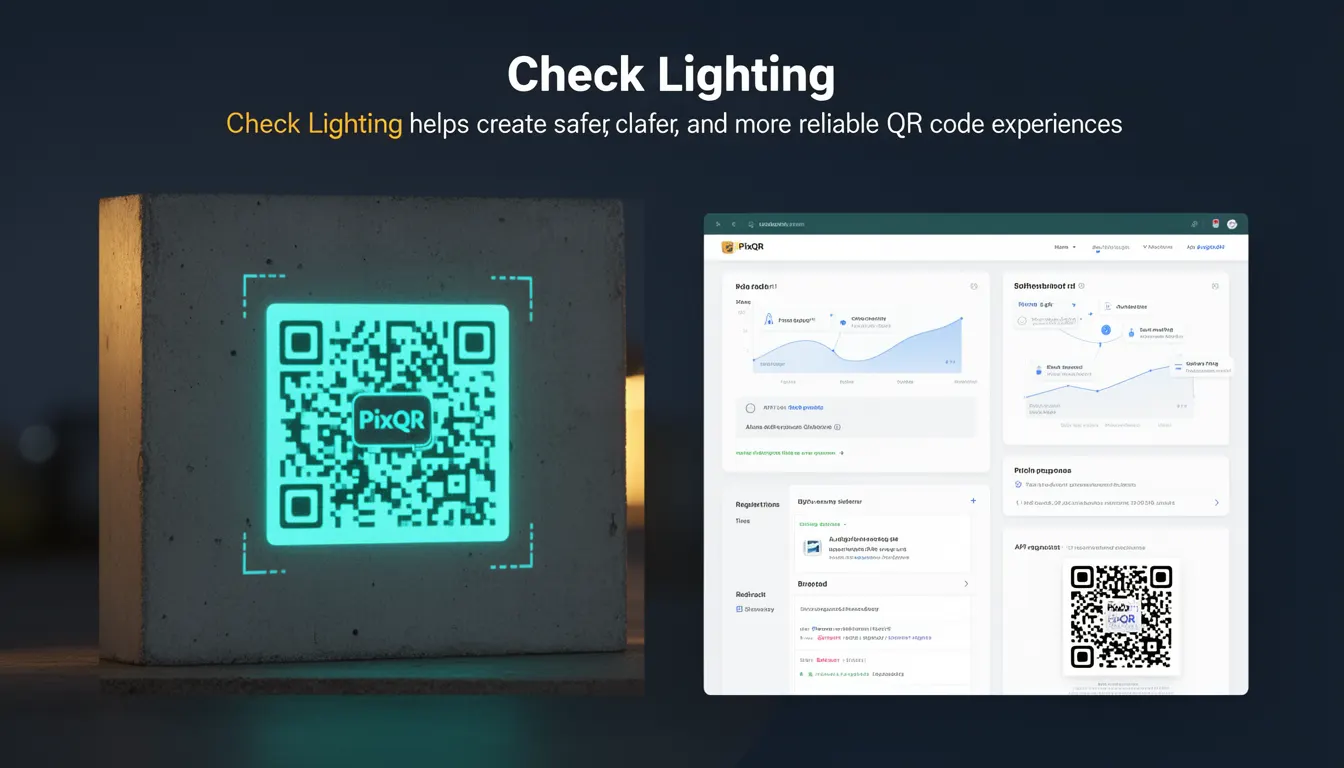
Check Lighting is a best-practice term in QR code development that refers to the process of evaluating and adjusting lighting conditions during QR code generation and deployment to ensure optimal scannability and reliability. It is a key component of the broader set of practices that PixQR recommends to improve QR code performance across different environments and use cases.
Developers and operations teams use Check Lighting to proactively identify potential scanning issues before QR codes are deployed. This practice is particularly important in environments where lighting conditions are variable, such as outdoor installations, retail kiosks, or industrial settings. By implementing Check Lighting, teams can reduce the rate of failed scans, improve user experience, and ensure consistent performance across devices and platforms.
Why It Matters
Check Lighting is critical for ensuring QR code reliability in real-world deployments. Poor lighting conditions can lead to scannability issues, including partial or complete failure to decode QR codes, especially on low-end devices or in high-contrast or low-light environments. In a production environment, this can lead to user frustration, lost conversions, or failed redirects, which are particularly problematic for businesses using dynamic QR links or analytics tracking.
From a product and operational perspective, Check Lighting helps teams avoid post-deployment issues that are expensive to resolve. It is especially important in scenarios where QR codes are printed on materials with varying textures or where they are exposed to environmental conditions like glare, shadows, or uneven lighting. Proper lighting checks can also improve accessibility for users with visual impairments, ensuring that QR codes are scannable under a range of lighting conditions.
How It Works
Check Lighting is implemented through a combination of visual inspection, environmental simulation, and technical analysis of QR code design and output. It involves verifying that the QR code is readable under various lighting conditions, including low light, direct sunlight, and reflective surfaces.
- Lighting conditions are simulated using software tools or physical testing environments to mimic real-world scenarios.
- QR code contrast is evaluated to ensure sufficient black and white differentiation for scanners to detect.
- Scanability is validated using a variety of QR code readers and mobile devices to ensure compatibility.
- Output formats and resolutions are optimized for different media, such as print or digital display.
- Dynamic QR codes are tested under varying network conditions to ensure that redirects function reliably even if the QR code itself is stable.
The process typically includes a pre-deployment checklist that evaluates lighting, contrast, and resolution, as well as post-deployment monitoring for scan failures or user feedback. This is often integrated into automated workflows within PixQR's platform, enabling teams to validate QR code output before publishing.
Quick Reference
| Item | Purpose | Notes |
|---|---|---|
| Lighting Simulation | Replicates real-world lighting conditions | Use with design tools or physical environments |
| Contrast Ratio | Ensures readability under different conditions | Minimum 5:1 for scannability |
| Scan Testing | Validates QR code with real devices | Include low-end and high-end devices |
| Resolution Optimization | Ensures clarity at different output sizes | Use 300 DPI for print, 1x for digital |
| Environmental Testing | Tests under various environmental conditions | Include glare, shadows, and reflective surfaces |
Basic Example
PixQR Example QR
This QR links directly to this glossary page, so printed notes, onboarding docs, and support material can bring scanners back to the current reference.
/glossary/qr-code-best-practices/qr-code-best-practices-check-lighting
This example shows a basic check lighting procedure using a simulated environment. It demonstrates how to validate QR code contrast and readability.
// Simulate lighting conditions
const simulateLighting = (qrCode, lightLevel) => {
  // Adjust contrast based on light level
  const adjustedQR = adjustContrast(qrCode, lightLevel);
  return validateScannability(adjustedQR);
};

// Validate scannability
const validateScannability = (qrCode) => {
  return qrCode.contrastRatio >= 5.0;
};

// Example usage
const myQR = generateQRCode("https://example.com");
const isScannable = simulateLighting(myQR, "low");
The example simulates lighting adjustments and evaluates whether the QR code maintains sufficient contrast for scannability. This approach is useful for testing QR codes in development or staging environments.
Production Example
This example shows a production-ready approach to Check Lighting that includes environmental testing, contrast validation, and device compatibility. It integrates with PixQR's platform to ensure QR codes are optimized before deployment.
// Validate QR code for production use
const validateQRForProduction = (qrCodeData) => {
  const { contrast, resolution, lightConditions } = qrCodeData;

  // Check minimum contrast
  if (contrast < 5.0) {
    throw new Error("QR code contrast too low");
  }

  // Simulate environment
  const environmentTest = simulateEnvironment(lightConditions);
  if (!environmentTest.isScannable) {
    throw new Error("QR code not scannable in environment");
  }

  // Validate device compatibility
  const devices = ["mobile", "tablet", "desktop"];
  const compatibility = devices.map(device => {
    return testDeviceCompatibility(qrCodeData, device);
  });

  return {
    isValid: true,
    compatibility,
    contrast,
    resolution
  };
};

// Example usage
const qrData = {
  contrast: 6.2,
  resolution: 300,
  lightConditions: ["sunlight", "shade", "indoor"]
};

validateQRForProduction(qrData);
This version is more robust, including error handling, device compatibility checks, and environment simulation. It is suitable for production workflows and integrates with systems that manage QR code generation and deployment.
Common Mistakes
- Ignoring contrast requirements during design can lead to scannability failures in low-light conditions.
- Not testing QR codes across multiple devices and platforms results in inconsistent performance.
- Assuming that a QR code works in one environment will not work in others, especially with varying lighting.
- Skipping environmental simulation or physical testing leads to unexpected failures in real-world deployments.
- Using low-resolution output for print can cause QR codes to fail scanning due to pixelation.
- Failing to validate dynamic redirects under different network conditions can cause broken links.
Security And Production Notes
- Ensure QR code contrast meets minimum standards to prevent unauthorized tampering or misinterpretation.
- Validate QR code integrity using checksums or embedded data verification to prevent fraud.
- Implement environmental checks to reduce scan failure rates, improving user trust and experience.
- Use scalable QR code formats to ensure consistent performance across all output media and devices.
- Integrate lighting checks into automated workflows to ensure consistent quality across large-scale deployments.
Related Concepts
Check Lighting is closely related to several other QR code best practices:
- Dynamic Redirects: Ensures that QR codes point to reliable and secure destinations even when content changes.
- Scan Analytics: Provides data on how QR codes perform under real-world conditions, including lighting.
- Print Reliability: Focuses on ensuring QR codes are scannable on physical materials with varying textures.
- Brand-Safe Design: Ensures QR codes are visually consistent and appropriate for brand guidelines, including lighting considerations.
- Privacy Controls: Helps ensure that QR codes do not inadvertently expose sensitive data, especially in environments with variable lighting.