 PixQR
PixQR
Overview
A QR Code Symbol is the visual representation of a QR code — a two-dimensional barcode that encodes data in a grid of black and white modules. It is the physical manifestation of encoded information that can be scanned by a device such as a smartphone or a QR reader. In the context of PixQR, a QR Code Symbol refers to a generated QR code image that can be used for redirects, tracking, branding, or secure link management.
Developers working with PixQR often generate QR Code Symbols programmatically using API endpoints or SDKs. These symbols are then embedded in marketing materials, printed on products, or integrated into web pages for user interaction. The symbol itself is not the data it encodes but rather the visual form that allows scanning and interpretation of that data.

Why It Matters
For developers and product teams, understanding the QR Code Symbol is essential for building reliable systems that support scanning, branding, and data integrity. A malformed or incorrectly generated symbol can result in failed scans, misdirected traffic, or poor user experience. PixQR ensures that each symbol meets industry standards for scan reliability and print clarity, which is critical in production environments where QR codes are used for customer onboarding, inventory tracking, or secure redirects.
From a security standpoint, QR Code Symbols must be generated with consistent structure and data integrity to prevent spoofing or injection attacks. In PixQR, symbols are validated against known formats and are designed to prevent malicious data from being embedded. The symbol's structure also impacts analytics tracking, as each symbol can be associated with unique identifiers or metadata that help monitor usage and performance.
How It Works
The QR Code Symbol is generated through a series of defined steps that include data encoding, error correction, and symbol formatting. The process begins with input data, which is then encoded using a specific character set and mode. The encoded data is then processed through a Reed-Solomon error correction algorithm to ensure robustness. Finally, the data is arranged into a grid pattern with specific positioning and timing patterns for scanning.
- The symbol is composed of modules — black and white squares arranged in a grid — that represent binary data.
- QR codes support multiple data modes: numeric, alphanumeric, byte, and Kanji, each optimized for specific types of data.
- Each symbol includes alignment patterns, timing patterns, and format information for accurate scanning.
- Error correction levels (L, M, Q, H) determine how much data can be recovered if the symbol is damaged or partially obscured.
- QR Code Symbols are generated in a fixed size or scalable format, depending on the intended use case and resolution requirements.
Quick Reference
| Item | Purpose | Notes |
|---|---|---|
| Module | Smallest unit of the symbol | Black or white square forming the grid |
| Encoding Mode | How data is encoded | Supports numeric, alphanumeric, byte, and Kanji |
| Error Correction | Recovery from damage | Levels L, M, Q, H; H provides highest resilience |
| Symbol Size | Grid dimensions | Standard sizes: 21x21 to 177x177 modules |
| Positioning Patterns | Scanning reference | Three fixed patterns for accurate detection |
Basic Example
PixQR Example QR
This QR links directly to this glossary page, so printed notes, onboarding docs, and support material can bring scanners back to the current reference.
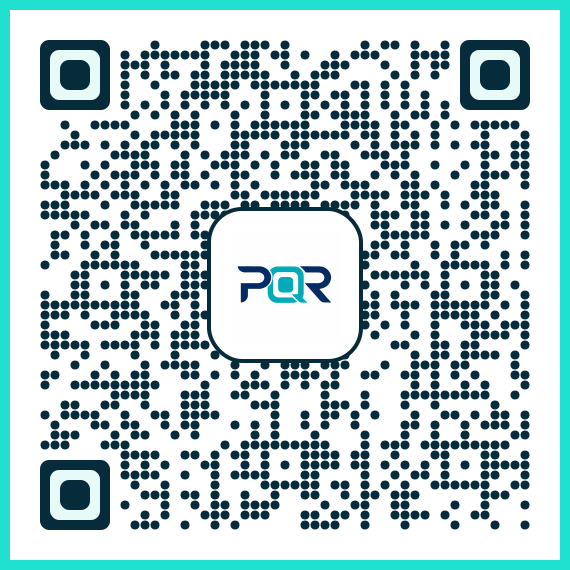
The following example shows how to generate a QR Code Symbol using a simplified PixQR API call. It demonstrates the core concept of data input and symbol generation.
const response = await fetch('/api/v1/qr/generate', {
  method: 'POST',
  headers: { 'Content-Type': 'application/json' },
  body: JSON.stringify({
    data: 'https://example.com',
    size: '200x200'
  })
});
This example sends a request to generate a QR symbol for a URL. The data field specifies the content to encode, and size defines the symbol dimensions. The response contains the generated symbol, which can be rendered as an image.
Production Example
In a production environment, QR Code Symbols must be generated with validation, error handling, and metadata support. The following example includes these considerations and uses PixQR’s API with additional configuration for branding and tracking.
const generateQR = async (url, options = {}) => {
  const {
    size = '300x300',
    errorCorrection = 'H',
    branding = 'default',
    tracking = true
  } = options;

  const response = await fetch('/api/v1/qr/generate', {
    method: 'POST',
    headers: { 'Content-Type': 'application/json' },
    body: JSON.stringify({
      data: url,
      size,
      error_correction: errorCorrection,
      branding,
      tracking
    })
  });

  if (!response.ok) {
    throw new Error('Failed to generate QR symbol');
  }

  return await response.json();
};
This version ensures that the QR symbol is generated with appropriate error correction, branding, and tracking metadata. It also includes error handling to prevent downstream failures and supports flexible configuration for various use cases.
Common Mistakes
- Using unsupported data types — such as non-ASCII characters in numeric mode — can cause encoding failures or incorrect symbol generation.
- Ignoring error correction levels — low levels (L) may result in failed scans on damaged or low-quality prints.
- Not validating symbol dimensions — symbols that are too small or too large may not scan reliably or may not fit layout requirements.
- Reusing QR symbols without tracking — this makes it impossible to monitor usage or detect fraudulent redirects.
- Overlooking branding or color consistency — inconsistent design can reduce trust and scanning accuracy in marketing materials.
Security And Production Notes
- Always validate input data to prevent injection or malformed symbol generation.
- Use high error correction levels (H) for critical or public-facing QR codes to ensure reliability.
- Implement tracking and analytics to monitor symbol usage and detect anomalies.
- Ensure that symbols are generated with consistent sizing and resolution to prevent scanning failures.
- Apply access controls and metadata to prevent unauthorized or malicious use of QR code generation endpoints.
Related Concepts
QR Code Symbol is closely related to several core concepts in QR code technology and web development. Understanding these helps in building secure, scalable, and maintainable systems.
QR Code Data Encoding: The method by which input data is converted into a format suitable for QR code generation. It determines the symbol's mode and efficiency.
Dynamic Redirect: A QR code that points to a server endpoint that can redirect to different URLs based on context or user behavior. The symbol itself remains static, but the destination can vary.
Scan Tracking: The process of monitoring how many times a QR code is scanned and by whom. The symbol must be uniquely identifiable to support tracking.
Brand-Safe Design: Ensuring that QR code visuals are consistent with brand guidelines and do not introduce scanning issues or confusion.
Privacy Controls: The ability to manage data within QR codes to prevent exposure of sensitive information or to comply with privacy regulations.