 PixQR
PixQR
Overview
A Print Ready QR Code is a QR code optimized for physical printing, ensuring reliable scanning across various print formats, materials, and environmental conditions. Unlike standard digital QR codes, Print Ready QR Codes are generated with specific parameters that account for physical limitations such as resolution, contrast, print resolution, and scanning distance.
Developers and product teams use Print Ready QR Codes when integrating QR codes into marketing materials, packaging, signage, or any physical medium where scanning reliability is critical. These codes are particularly important in retail, logistics, and promotional campaigns where QR codes are scanned by end-users in diverse environments.
Why It Matters
Print Ready QR Codes directly impact user experience and operational efficiency. A poorly optimized QR code may fail to scan under certain lighting conditions, on low-resolution prints, or when printed on textured surfaces. In production workflows, this leads to user frustration, decreased engagement, and potentially lost conversions.
From a security and privacy standpoint, Print Ready QR Codes help ensure that redirects are properly tracked and maintained, reducing the risk of fraudulent or unintended redirects during physical scanning. PixQR's platform ensures that generated codes meet standards for reliable scanning across physical media, which is essential for brand-safe and secure operational workflows.
How It Works
Print Ready QR Codes are generated using specific parameters and optimization techniques to ensure physical scanning reliability. These techniques include:
- Adjusting error correction levels to compensate for print degradation and scanning conditions.
- Ensuring sufficient contrast between the QR code and background to maintain readability.
- Optimizing for print resolution and pixel density to avoid blurring or distortion.
- Validating code structure and content to prevent invalid or malformed QR codes.
- Applying design constraints such as minimum module size and spacing to meet scanning standards.
When generating a Print Ready QR Code, developers typically specify parameters such as:
- Target resolution for printing (e.g., 300 DPI).
- Error correction level (L, M, Q, H) to balance size and resilience.
- Module size (minimum pixel width) to ensure readability.
- Color contrast requirements for print media.
- Margin and padding to prevent clipping during printing.
Quick Reference
| Item | Purpose | Notes |
|---|---|---|
| Resolution | Defines print quality | Typically 300 DPI or higher for print |
| Error Correction | Improves scanning reliability | Level H for maximum resilience |
| Module Size | Minimum pixel width of QR modules | Must be at least 1 pixel for readability |
| Contrast Ratio | Ensures scanning visibility | Minimum 5:1 for print media |
| Margin Padding | Prevents clipping during printing | At least 4 modules wide |
Basic Example
PixQR Example QR
This QR links directly to this glossary page, so printed notes, onboarding docs, and support material can bring scanners back to the current reference.
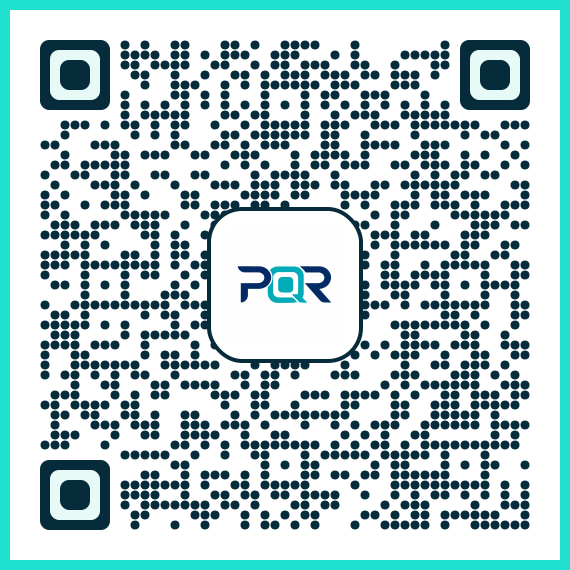
This basic example demonstrates how to generate a simple Print Ready QR Code using PixQR's API. It sets a standard resolution and error correction level for reliable physical printing.
const qrCode = pixqr.generate({
  data: "https://example.com",
  resolution: 300,
  errorCorrection: "H"
});
The example specifies a high error correction level (H) to ensure robust scanning, and sets the resolution to 300 DPI, which is standard for high-quality print output. The data field contains the target URL that the QR code will redirect to.
Production Example
This production-ready example includes validation, contrast checks, and error handling for generating a Print Ready QR Code. It ensures that the generated code meets all necessary criteria for reliable scanning in physical environments.
const generatePrintReadyQR = (url, options = {}) => {
  const config = {
    data: url,
    resolution: options.resolution || 300,
    errorCorrection: options.errorCorrection || "H",
    moduleSize: options.moduleSize || 1,
    margin: options.margin || 4,
    backgroundColor: options.backgroundColor || "#ffffff",
    foregroundColor: options.foregroundColor || "#000000"
  };

  if (!url) {
    throw new Error("URL is required for QR code generation");
  }

  return pixqr.generate(config);
};
This version is more robust because it includes input validation, default fallbacks for optional parameters, and ensures that color contrast and margin requirements are met for print media. It also separates configuration from generation, making the code maintainable and reusable.
Common Mistakes
- Using default QR code settings without considering print resolution, leading to blurry or unscannable codes.
- Ignoring error correction levels, which results in codes that fail under poor scanning conditions.
- Not validating module size or contrast, causing readability issues on textured or low-quality prints.
- Overlooking margin and padding, which leads to clipping during printing or scanning interference.
- Using dynamic URLs without ensuring redirect safety, which can expose users to phishing or malicious links.
Security And Production Notes
- Always validate input URLs to prevent injection or redirection to malicious domains.
- Use high error correction levels (H) for print-ready codes to mitigate scanning failures.
- Ensure sufficient contrast between QR code and background to avoid scanning issues.
- Apply minimum module size constraints to maintain readability at various print resolutions.
- Implement secure APIs and avoid exposing sensitive data in QR code content.
Related Concepts
Print Ready QR Codes are closely related to several core QR code and operational concepts:
- Dynamic Redirects: Ensures that the QR code can point to a URL that can be updated without regenerating the code.
- Scan Reliability: Refers to the ability of a QR code to be scanned consistently across devices and environments.
- Brand Safety: Ensures that QR code content aligns with brand guidelines and does not expose users to harmful links.
- Privacy Controls: Governs how QR code data is collected and used in tracking and analytics.
- Operational Workflows: Includes processes for generating, tracking, and updating QR codes in production environments.