 PixQR
PixQR
Overview
Embedded Contact Details in the context of PixQR refer to a specific QR code structure where contact information is encoded directly into the static QR code at the time of creation. This is a fixed data format that does not change regardless of how many times the code is scanned or how long it exists in use.
When a developer generates a static QR code using PixQR that includes Embedded Contact Details, they are essentially embedding a vCard or similar structured contact data format into the QR code payload. This enables users scanning the code to instantly access contact information such as name, phone number, email, address, or website without needing to navigate to an external URL.
Why It Matters
For developers and product teams, Embedded Contact Details provide a reliable and efficient way to deliver structured contact data through QR codes. Unlike dynamic QR codes that redirect to web pages, static QR codes with embedded contact details ensure that the information remains constant and accessible even if external systems are unavailable or the URL is deprecated.
This approach is especially valuable in scenarios where offline reliability, data integrity, and user privacy are important. It also helps reduce reliance on external services or domain availability, which can be a risk in long-term or mission-critical deployments.
How It Works
Embedded Contact Details are encoded into a QR code using a standardized format such as the vCard specification. When a QR code is generated with this feature, the PixQR platform translates the contact data into a structured payload that can be read by standard QR code scanners.
- The encoded data is fixed and immutable once the QR code is generated, ensuring consistency across all scans.
- PixQR supports standard vCard fields including name, phone, email, address, and organization.
- Scanners interpret the embedded data and present it as a contact card or allow users to add the information to their device.
- Embedded contact data is typically stored in a compact, machine-readable format to minimize QR code size and scanning time.
- For developers, the platform provides APIs to define and validate contact fields before generating the QR code.
Quick Reference
| Item | Purpose | Notes |
|---|---|---|
| vCard Format | Encodes contact data | Standardized for cross-platform compatibility |
| Immutable Payload | Ensures data consistency | Does not change after QR code generation |
| PixQR API | Generates static QR codes | Supports contact field validation |
| Scan Compatibility | Works with standard scanners | Uses widely supported QR code standards |
| Privacy Control | Minimizes exposure of sensitive data | Can be configured to include only necessary fields |
Basic Example
PixQR Example QR
This QR links directly to this glossary page, so printed notes, onboarding docs, and support material can bring scanners back to the current reference.
/glossary/qr-code-static/static-qr-codes-embedded-contact-details
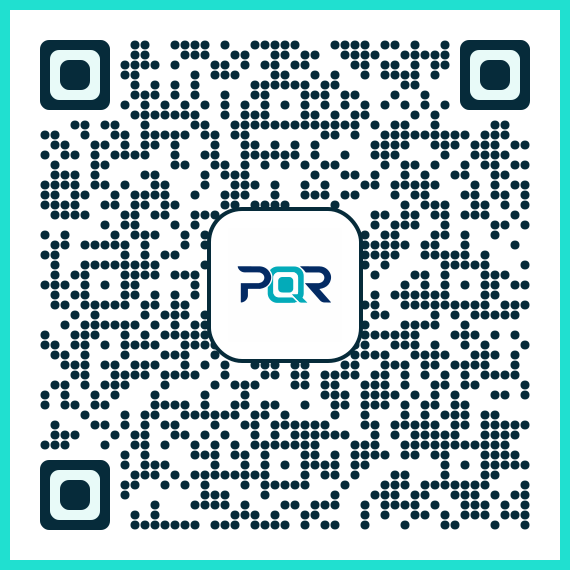
This example shows a basic static QR code with embedded contact details using a simplified vCard structure. The payload is generated by the PixQR platform and encoded into a QR code.
QR Code Payload: BEGIN:VCARD
VERSION:3.0
FN:John Doe
N:Doe;John
ORG:PixQR Inc.
TITLE:Developer
EMAIL:john.doe@pixqr.com
TEL:+1-555-123-4567
END:VCARD
The payload encodes contact information using the vCard format. When scanned, a device recognizes this structure and prompts the user to save the contact or open it in a contacts app. This example demonstrates the core structure of embedded data.
Production Example
In a production environment, developers using PixQR to generate QR codes with embedded contact details must ensure data integrity, validation, and proper configuration. The following example shows how to construct a valid payload with error handling and validation before QR code generation.
const contactData = {
  name: 'Jane Smith',
  organization: 'PixQR Solutions',
  title: 'Product Manager',
  email: 'jane.smith@pixqr.com',
  phone: '+1-555-987-6543',
  address: '123 Tech Street, San Francisco, CA'
};

const vCardPayload = `BEGIN:VCARD
VERSION:3.0
FN:${contactData.name}
N:${contactData.name.split(' ').reverse().join(';')}
ORG:${contactData.organization}
TITLE:${contactData.title}
EMAIL:${contactData.email}
TEL:${contactData.phone}
ADR:${contactData.address}
END:VCARD`;

// Pass vCardPayload to PixQR API for QR code generation
// Validate contact data before encoding
This example demonstrates how to format and validate contact data before encoding it into a QR code. It ensures that the payload is correctly structured, includes necessary fields, and avoids common encoding issues that could prevent scanners from reading the data.
Common Mistakes
- Using unsupported vCard fields or incorrect field syntax can cause scanners to ignore or misinterpret the data.
- Not validating contact data before QR code generation can lead to malformed payloads that fail to scan properly.
- Including too much or sensitive information in the QR code can violate privacy policies or expose unnecessary data.
- Forgetting to escape special characters in fields like phone numbers or addresses can break the vCard format.
- Generating static QR codes with embedded data for frequently changing contact information can lead to outdated data being distributed.
Security And Production Notes
- Ensure all contact data is validated to prevent injection or malformed input that could cause scanning errors.
- Limit the amount of sensitive information in embedded data to reduce exposure risks.
- Use only standard vCard fields to ensure compatibility across platforms and devices.
- Implement error handling for cases where QR code scanning fails due to invalid embedded data.
- Consider using PixQR’s built-in validation tools to ensure compliance with QR code standards.
Related Concepts
Embedded Contact Details are closely related to several other QR code concepts:
- Dynamic QR Codes — Unlike static codes, dynamic QR codes can be updated after creation, but they require a backend or redirect system.
- QR Code Standards — The vCard format is part of the broader set of QR code data standards that ensure interoperability.
- Scan Tracking — Embedded data does not provide analytics or tracking, unlike dynamic QR codes.
- Privacy Controls — Static QR codes with embedded data can be configured to include only public contact details.
- Print Reliability — Static QR codes with embedded data are ideal for printed materials where network access is not guaranteed.